
The best free games on Scratch are griffpatch’s Paper Minecraft, Appel and Getting Over It. NormanTheGamer’s Geometry Dash and soupgrapes’ online Among Us are close behind. All of them run free in a browser tab, with no download and no account needed to play. Scratch’s own Explore page shows which projects are popular right now. This guide adds what that page leaves out: ten proven picks, who each one suits, and how to load them without lag.
Thread summary
- Paper Minecraft by griffpatch is the most-viewed pick here, with over 67 million views.
- griffpatch’s original Geometry Dash v1.5 is no longer on Scratch. Play NormanTheGamer’s version instead.
- Cloud multiplayer games only sync for logged-in accounts with full Scratcher status.
- TurboWarp loads any shared Scratch project by its URL or ID and can run it at 60 fps.
- To find new hits, sort Explore by Trending. For the all-time classics, sort by Popular.
What counts as a Scratch game
A Scratch game is any interactive project built with Scratch, the free block-based coding language that MIT’s Lifelong Kindergarten group created. Scratch is now run by the non-profit Scratch Foundation. It launched in 2007, and the current version, Scratch 3.0, went live on January 2, 2019. That release matters to players because it replaced Flash with JavaScript, so projects run in Chrome, Firefox, Edge and Safari with nothing to install.
Every project on the site is made by a user and shared under a Creative Commons license. The community has shared well over 100 million projects, and the Games category is the busiest part of the site. Quality ranges from a seven-year-old’s first maze to full engines with physics, cloud multiplayer and save codes.
Did you know?
According to the MIT Media Lab, the Scratch online community had passed 130 million shared projects by 2023.
A quick note on search terms. If you typed “scratchy game” or “scratch gaming”, you almost certainly meant this platform, not scratch cards or DJ scratching. The site itself, the Scratch Wiki and the forums all just call them “Scratch projects”.
Scratch games have a recognisable feel. The stage is a fixed 480 by 360 pixels, the player targets 30 frames per second (heavy projects drop below that when they lag), and a project can have at most 300 clones at once. Good creators design around those limits, and the best games on this list turn them into a style.
How to play any Scratch game in 30 seconds
You do not need to sign up. Open a project page and the game sits in a player window at the top.
Quick steps: play a Scratch game
- Open scratch.mit.edu and click Explore in the top bar.
- Click the Games tab, then sort by Trending, Popular or Recent.
- Click a project thumbnail to open its page.
- Click the green flag above the stage to start, and the red stop sign to end.
- Click the fullscreen icon at the top right of the stage for a bigger view.
Two more controls are worth knowing. Shift-click the green flag to toggle Turbo Mode, which lets scripts run without waiting for the screen to redraw. It speeds up some older games and breaks others, so try it one project at a time. The “See inside” button opens the full editor so you can read the code, which is the whole point of Scratch.
Scratch officially supports recent releases of Chrome, Edge, Firefox and Safari. Its FAQ describes these as versions released within roughly the last three years. Internet Explorer is not supported at all. Phones can open project pages, but the editor only works on desktops and tablets. Games that need a keyboard can’t be played on a touchscreen unless the creator added on-screen buttons.
The 10 best free Scratch games
The three best free Scratch games are Paper Minecraft, Appel and Getting Over It, all by griffpatch. Each has millions of views and has stayed popular for years.
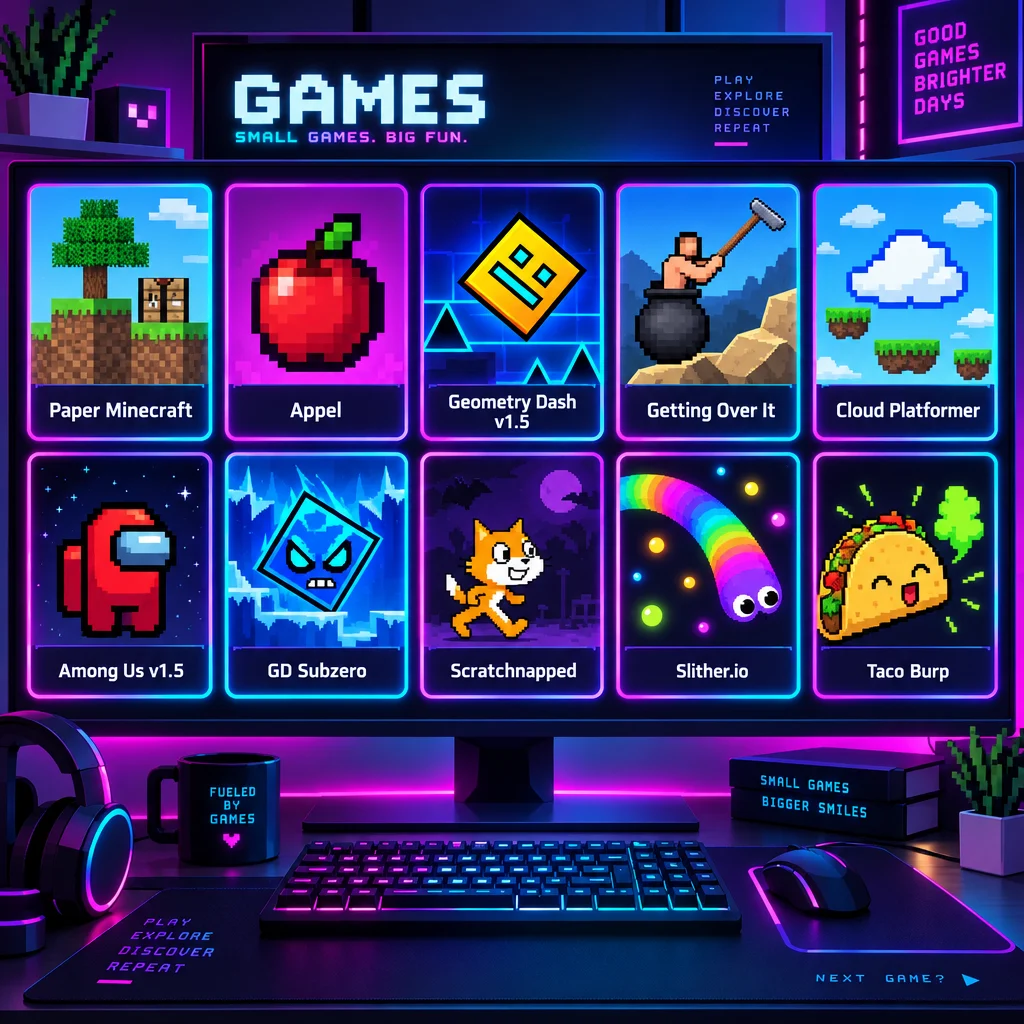
These picks are based on three things. Lasting reach comes first: view counts and how long a project has stayed popular. Next is how well the game plays in the standard Scratch player. Last is variety across genres. Creator usernames are included so you can search for them directly. View counts are as shown on scratch.mit.edu in November 2026.
| # | Game | Creator | First shared | Views | Genre | Why it stands out |
|---|---|---|---|---|---|---|
| 1 | Paper Minecraft v11.7 | griffpatch | May 2013 | 67M+ | 2D sandbox | Mining, building, inventory, chests and crafting tables |
| 2 | Appel v1.4 | griffpatch | May 2015 | 15M+ | Platformer | Community-made levels and a speedrun following |
| 3 | Geometry Dash | NormanTheGamer | Dec 2023 | 2.6M+ | Rhythm platformer | 4 levels, one-button jumping |
| 4 | Getting Over It v1.4 | griffpatch | Apr 2020 | 22M+ | Climbing game | Recreation of Bennett Foddy’s game |
| 5 | Cloud Platformer Multiplayer Fun v1.42 | griffpatch | Sep 2013 | 3M+ | Online platformer | Cloud multiplayer, 100 achievements |
| 6 | ☁️ Among Us | soupgrapes | Oct 2020 | 2.3M+ | Social deduction | Online play through cloud variables |
| 7 | Geometry Dash 2.2 Platformer Mode | -GeometricalCoder- | Jan 2024 | 1.5M+ | Platformer | Recreates GD 2.2’s platformer mode |
| 8 | Scratchnapped | griffpatch | Apr 2013 | ~3M | Mario-style platformer | 4-level demo, fixed for Scratch 3 |
| 9 | slither.io v1.13 | griffpatch | May 2016 | 5.6M+ | Online arcade | Cloud multiplayer snake game |
| 10 | Taco Burp, Cloud | griffpatch | Jan 2021 | 1M+ | Online party game | Up to 8 players at a time |
1. Paper Minecraft by griffpatch
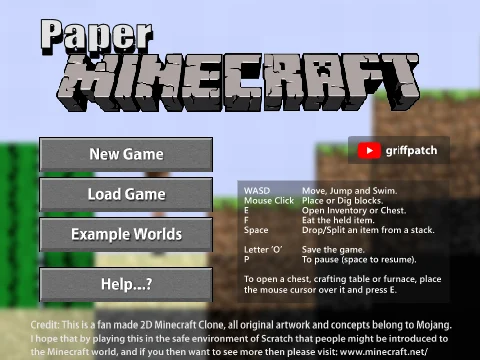
Paper Minecraft is the project most people mean when they say they played Minecraft at school. It is a 2D, side-on take on Minecraft, and with over 67 million views it is the most-viewed game on this list. griffpatch first shared it in May 2013. The current title, “Paper Minecraft v11.7 (Minecraft 2D)”, shows how many rounds of updates it has had since.
The controls follow the original game, flattened to two dimensions:
| Action | Control |
|---|---|
| Move and jump | WASD |
| Select an item | 1 to 9 |
| Place or mine a block | Click |
| Open inventory | E |
Chests, crafting tables and doors all work, so the basic Minecraft loop of mining, crafting and building a base is all here. It is the right first game if you are new to Scratch, because the controls already make sense to anyone who has played Minecraft.
2. Appel by griffpatch
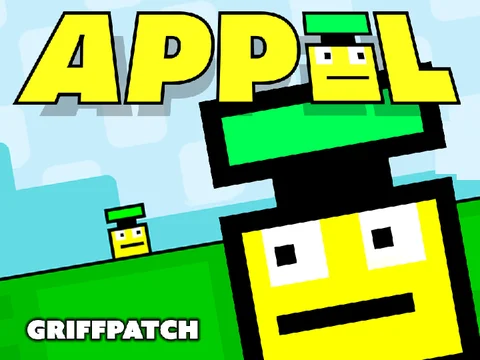
Appel (“Appel v1.4”) is the platformer that much of the Scratch community measures its own platformers against. griffpatch first made it in May 2015, and it has passed 15 million views.
Its staying power comes from the people around it. Players build and share their own levels, so the game keeps getting new content long after its creator stopped. It also has a speedrun following, which shows the movement is consistent enough to master. Searching “Appel levels” turns up fan-made worlds that range from gentle to brutal.
3. Geometry Dash by NormanTheGamer
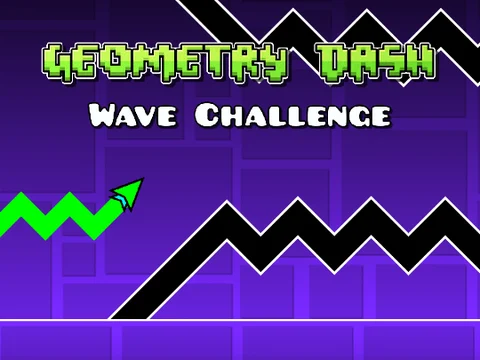
NormanTheGamer’s Geometry Dash, first shared in December 2023, is the version to play now. It has over 2.6 million views. griffpatch’s own Geometry Dash v1.5 (April 2016) was once one of the most-viewed projects on Scratch, but it is no longer available on the site, and only copies and remixes of it remain.
The game has 4 levels. The idea is the same as RobTop Games’ original: your icon moves forward on its own, and you jump to avoid spikes and obstacles. You can jump with the up arrow, space, W or a mouse click, so you can pick the input that feels best.
Search for the creator’s username rather than the game name. A plain “Geometry Dash” search returns a flood of remixes and half-finished copies.
4. Getting Over It by griffpatch
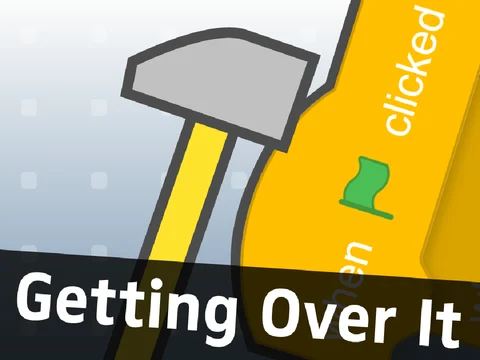
“Getting Over It v1.4” is griffpatch’s Scratch recreation of Bennett Foddy’s climbing game. He first shared it in April 2020, and with over 22 million views it is the second most-viewed pick here. In the game it is based on, you swing a hammer to drag a man stuck in a cauldron up a mountain, and one slip can undo a long climb. The whole challenge is learning to control that hammer.
Play it in fullscreen. On the small default stage, precise movements are harder than they need to be.
5. Cloud Platformer Multiplayer Fun by griffpatch
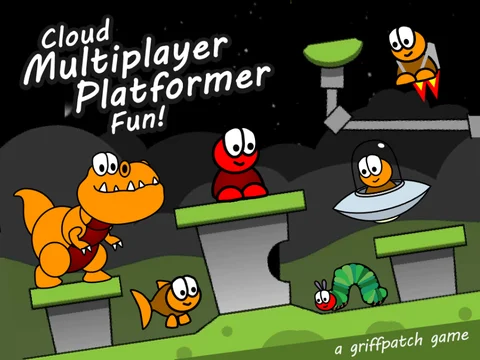
“Cloud Platformer Multiplayer Fun v1.42” is an online multiplayer platformer that runs on Scratch’s cloud variables. griffpatch first made it in September 2013, and it has over 3 million views. It also has 100 achievements, which gives you a reason to keep coming back.
Cloud games like this one are clever pieces of engineering. Scratch allows up to 10 cloud variables per project, and they can only hold numbers, up to 256 digits each. Any multiplayer game therefore has to pack every player’s data into a handful of numeric slots. Reading how a cloud game does this is a lesson in data compression.
Cloud features only work if you are logged in with a full “Scratcher” account. New accounts start as “New Scratchers”, and Scratch’s help center says they cannot use cloud data. Scratch invites active accounts to become Scratchers once they have shared and taken part for a while, and you accept the invite to upgrade.
6. Among Us by soupgrapes
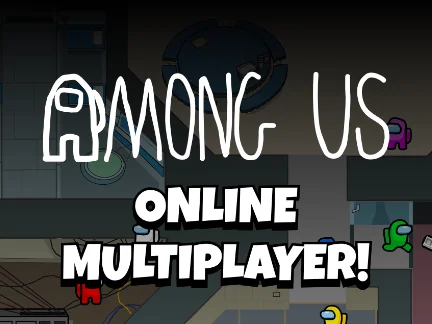
“☁️ Among Us” by soupgrapes is an online version of the 2020 hit that uses cloud variables. soupgrapes first shared it in October 2020, during the peak of Among Us, and it has over 2.3 million views. In the original game, crewmates complete tasks while hidden impostors try to stop them.
The controls are simple:
- Arrow keys to run.
- Space on a task to do it.
- Space on a vent to vent.
Because it runs on cloud variables, it has the same Scratcher-only limit as every other cloud game. It works best if you agree on a time with friends beforehand, so you are not waiting for strangers to join.
7. Geometry Dash 2.2 Platformer Mode by -GeometricalCoder-
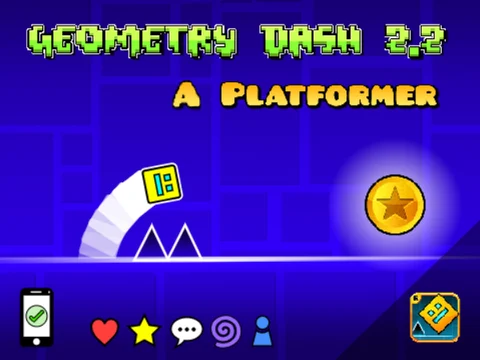
This project recreates the platformer mode that RobTop Games added in Geometry Dash update 2.2. That update came out on December 19, 2023, and in platformer mode you move left and right yourself instead of scrolling forward automatically. -GeometricalCoder- shared the recreation in January 2024, and it has passed 1.5 million views.
The project page credits the art to RobTop Games. The tile scrolling is built from griffpatch’s tutorials, a good example of how Scratch creators learn from each other.
8. Scratchnapped by griffpatch
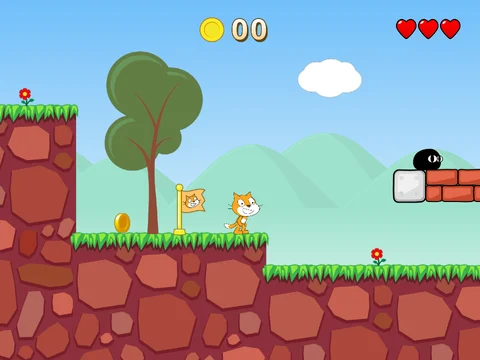
“Scratchnapped (A mario style platform game)” is one of griffpatch’s earliest hits. He first shared it in April 2013, and it has nearly 3 million views. In each level you rescue one Scratchling, and you move with the cursor keys.
It is a demo with 4 levels, so it is short. griffpatch fixed it to work in Scratch 3 in May 2019. The simple controls and short length make it a good first platformer for younger players.
9. slither.io by griffpatch
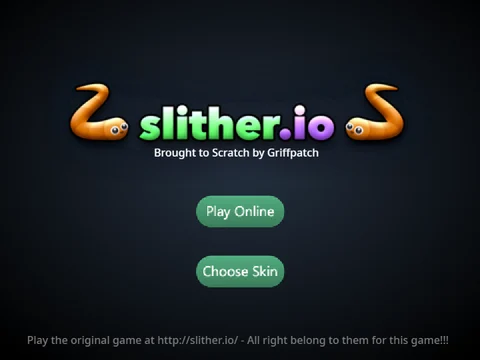
“slither.io v1.13” is griffpatch’s online cloud multiplayer take on the snake game. He first shared it in May 2016, and it has over 5.6 million views. As in the browser game it is based on, you steer a snake that grows as it eats, and every other snake in the arena is a threat.
Since it is a cloud game, you need a logged-in Scratcher account for your snake to sync with other players.
10. Taco Burp by griffpatch
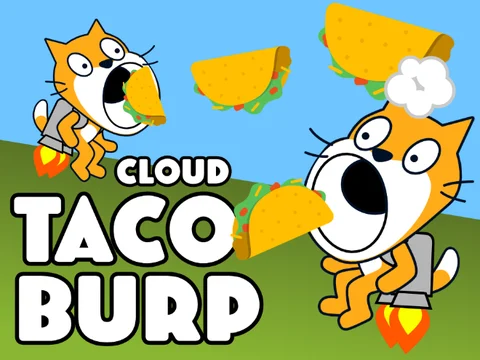
“Taco Burp | Cloud” is a cloud multiplayer game for up to 8 players at a time. griffpatch first made it in January 2021, and it has passed 1 million views. With that player cap, it is the pick on this list best suited to a small group that wants to play together at the same time.
Analyst note
Scratch’s player targets 30 fps, and TurboWarp’s 60 fps option doubles that. Before you submit a time to an Appel speedrun board, check whether runs from 60 fps players are allowed, because doubling the frame rate changes how the game feels.
Other options worth a look
These projects missed the top ten but are worth playing if you have finished it. All of them are on scratch.mit.edu.
Massive Multiplayer Platformer by griffpatch
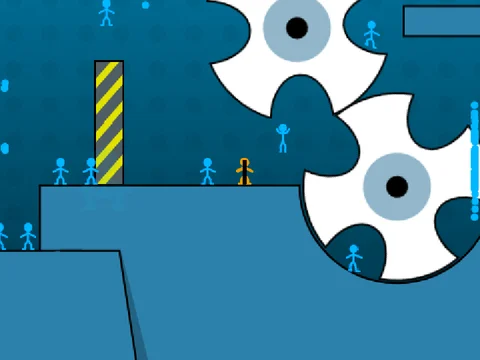
An online multiplayer platformer that griffpatch shared in December 2021. It has over 7 million views and is still being worked on.
Snail Platformer by griffpatch
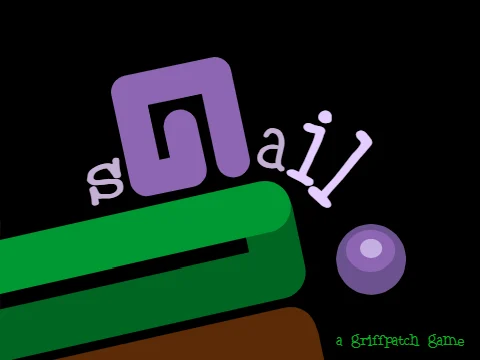
An original game from December 2015, drawn entirely with the pen extension. You help a snail collect purple snail treats.
Jumper (Platformer) by Depicklator
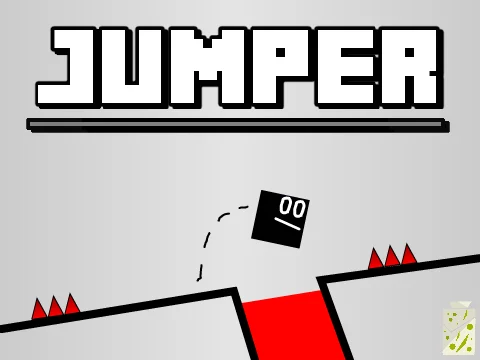
A platformer from March 2016 with over 2.7 million views. It is one of the most-viewed platformers on Scratch not made by griffpatch.
Minecraft Platformer by RacingAce
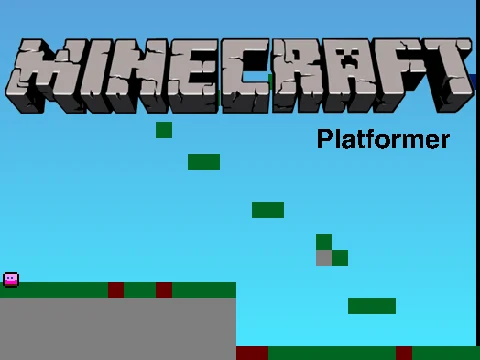
A Minecraft-themed platformer from March 2016, with over 2.5 million views. It is the first game in a three-game series.
Minecraft Platformer Episode 1 by atomicmagicnumber
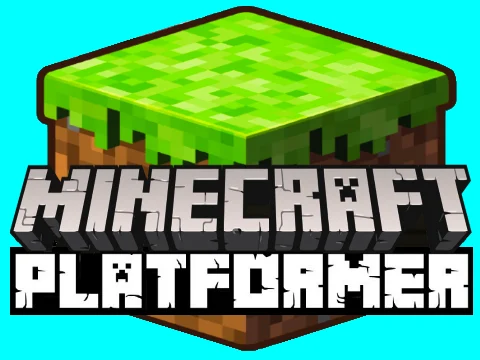
The start of a separate Minecraft platformer series, first shared in September 2019. The series ran to Episode 4.
Among Us Platformer by atomicmagicnumber
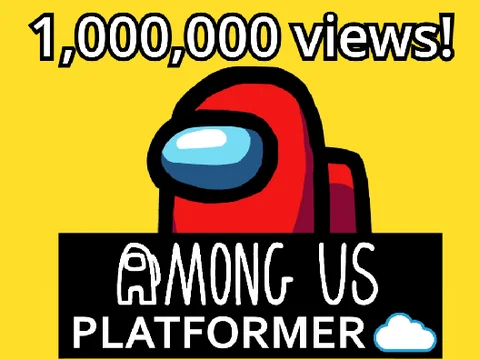
An online cloud multiplayer platformer with an Among Us theme, from February 2021. It also works on mobile.
Robot Tag by Legomariobros
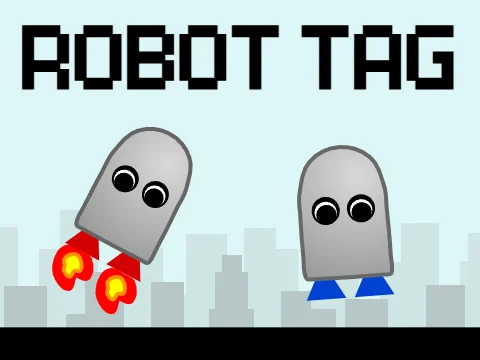
A game of tag for 2 or 3 players across 9 stages, first shared in March 2017.
Lightcube Platformer by firstject
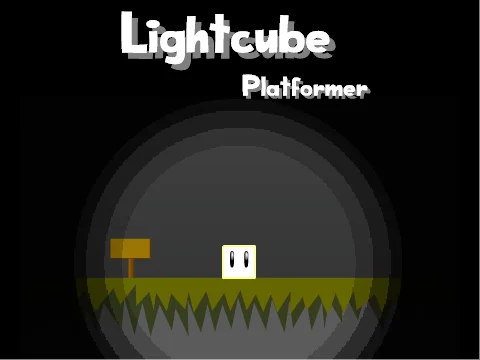
A glowing cube lights its way out of a dark cave. firstject first shared it in December 2016 and was still updating it in 2026.
Uncolored by Kokasgui
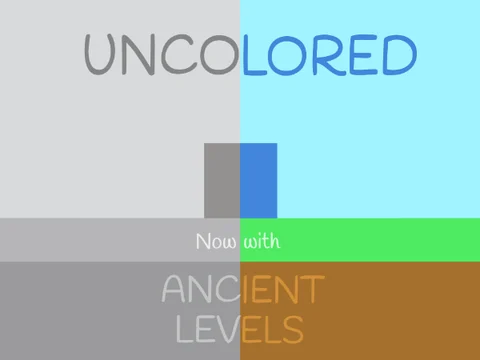
A platformer from December 2018. You use the arrow keys to walk, jump and swim, and phones get tap controls.
Hollow Knight Scratch Edition v2 by CrystalKeeper7
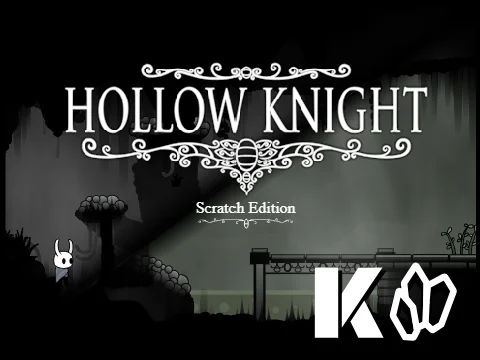
A rebuilt and finished version of a Hollow Knight fan game that KillerByte started. CrystalKeeper7 shared it in February 2020.
Honorable mentions by genre
The top ten leans heavily on griffpatch because his projects lead Scratch’s view counts. These creators show how much range the rest of the community has.
| Genre | Game | Creator | Why it is worth a look |
|---|---|---|---|
| Classic platformer | Jumper (Platformer) | Depicklator | Over 2.7 million views since 2016 |
| Atmospheric platformer | Lightcube Platformer | firstject | A light-in-the-dark cave escape, still being updated |
| Platformer, touch-friendly | Uncolored | Kokasgui | Walk, jump and swim, with tap controls on phones |
| Minecraft fan game | Minecraft Platformer | RacingAce | The first of a three-game series |
| Minecraft fan series | Minecraft Platformer Episode 1 | atomicmagicnumber | A series that reached Episode 4 |
| Online multiplayer | Among Us Platformer | atomicmagicnumber | Cloud multiplayer that works on mobile |
| Party game | Robot Tag | Legomariobros | 2 or 3 players, 9 stages |
| Action fan game | Hollow Knight Scratch Edition v2 | CrystalKeeper7 | A finished rebuild of an earlier fan project |
Best picks by player
The right game depends on who is playing and on what device. Each row below points to games already covered on this page.
| Player or scenario | Pick | Why it fits |
|---|---|---|
| Younger kids (8 and under) | Scratchnapped, Snail Platformer | Short, simple goals: rescue a Scratchling or collect snail treats |
| Tweens | Paper Minecraft, Among Us by soupgrapes | Familiar games, recreated faithfully |
| Classroom or group play | Taco Burp, Robot Tag | Up to 8 players online, or 2 to 3 players for tag |
| Chromebook or low-end laptop | Geometry Dash by NormanTheGamer, Jumper (Platformer) | Simple 2D keyboard games with no cloud account needed |
| Mouse-only or touch-friendly | Uncolored, Among Us Platformer | Tap controls on phones, and mobile support |
| Hardest challenge | Getting Over It, Appel | A punishing climb, and a speedrun scene |
For the classroom row, remember that Taco Burp is a cloud game. Every player needs to be logged in with a Scratcher account.
How to find the most popular Scratch games
Scratch does not publish an official chart of its top games. Instead, it shows popularity in two places: the Explore page’s sort options and the numbers on every project page.
What Scratch counts
Every project page shows four public numbers:
- Views: how many times the project has been opened.
- Loves: the heart button, a quick sign of approval from logged-in users.
- Favorites: the star button, which also saves the project to the user’s favorites list.
- Remixes: how many people copied the project to build their own version.
Views measure reach. Loves and favorites measure whether people liked what they found. Remixes show influence: a project with thousands of remixes has shaped what other creators make.
Where to look
Open Explore, click Games, and use the sort menu. Popular brings up projects with the most all-time engagement, which is where Paper Minecraft and Getting Over It live. Trending favors projects gaining loves and views right now, so it catches new hits in their first weeks. Recent is a live feed of whatever was just shared, so it is mostly brand-new first projects.
Analyst note
Compare loves to views instead of looking at views alone. A project with a high loves-to-views ratio kept people’s attention, while a huge view count with few loves often means a clickbait title.
The genres that dominate Scratch
The Explore page splits projects into Animations, Art, Games, Music, Stories and Tutorials. Within Games, a handful of genres get most of the traffic.
| Genre | What to search | What to expect |
|---|---|---|
| Platformers | “platformer”, “Appel”, “scrolling platformer” | The biggest genre, with new ones shared constantly |
| Clickers and idle | “clicker”, “cookie clicker” | Simple, addictive, often a creator’s first project |
| Fan games | “Sans fight”, “FNF”, “FNAF” | Undertale, Friday Night Funkin’ and Five Nights recreations |
| Multiplayer | “cloud multiplayer”, “online” | Needs Scratcher status |
| 3D and pen demos | “3D”, “raycaster”, “pen 3D” | Tech showcases that push the engine |
| Simulators and tycoons | “tycoon”, “simulator” | Roblox-inspired, quality varies |
| Rhythm | “Geometry Dash”, “FNF” | Obstacle games timed to music |
Platformers lead because Scratch makes them easy to start and hard to master. The “Getting Started” tutorial in the editor walks beginners through making a sprite jump, and the Ideas page offers starter projects to remix. Many creators share a platformer as their first game, which is why the Recent tab is full of them.
Fan games are the second big genre. Undertale “Sans fight” recreations are everywhere, and Friday Night Funkin’ mods took off in 2021. Quality varies widely, so sort by Popular and look for projects with high love and favorite counts relative to their views.
Pen-based 3D projects are the technical showpieces, and they are where to look if you want the most realistic-looking Scratch game. Scratch has no 3D support, so creators draw raycast corridors or wireframe models line by line with the pen extension, every frame. They are more tech demo than game, but they get the most “how did they do this” comments on the site.
Finding games on the Explore and Search pages
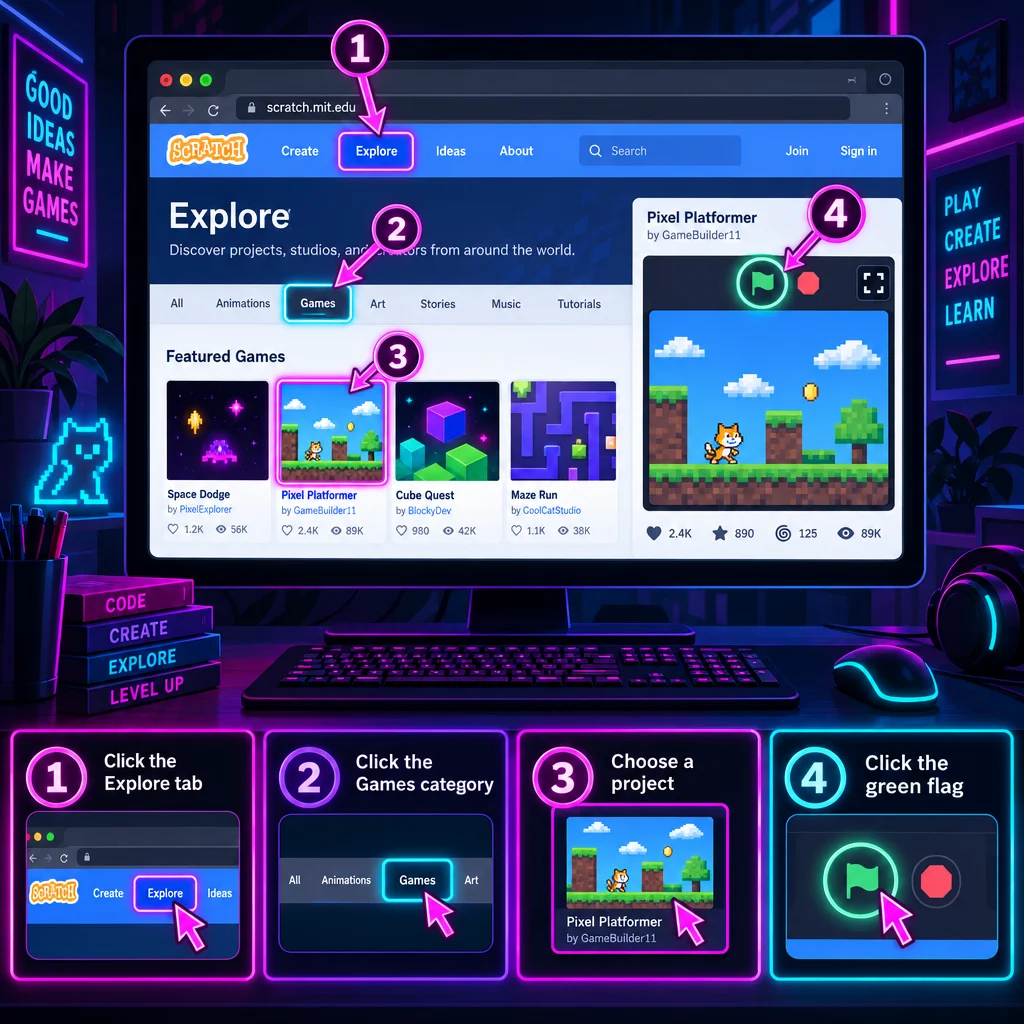
The Explore page is the front door, and Popular and Trending are the two sorts that matter for finding games. Popular is where the classics live. Trending is where you catch a new hit in its first week.
Search works differently. Type a term in the top bar and you land on a results page with two tabs, Projects and Studios. The Projects tab opens by default. Switching to Studios is the underrated move. Studios are curated collections, so a large platformer studio has already done the filtering for you.
A few search habits that pay off:
- Search a creator’s username to see all their games, not just one.
- Add “v1” or a version number to find the original project instead of a remix.
- Look up the Scratch Design Studio to find the themed showcase the Scratch Team runs.
- Check the remix count on a project page. Thousands of remixes usually means the original is worth playing.
The front page also has rotating rows: Featured Projects (picked by the Scratch Team), What the Community is Remixing, and What the Community is Loving. Featured Projects is the closest thing Scratch has to editorial recommendations.
Playing faster: Scratch limits versus TurboWarp
TurboWarp is a separate, open-source player that compiles Scratch code to JavaScript and lifts several of the official player’s limits. Scratch’s own player is deliberately conservative so that projects behave the same on every machine. To use TurboWarp, paste a shared project’s ID or URL into turbowarp.org, and it loads the same project from Scratch’s servers. It is not a cheat tool, it does not touch your Scratch account, and many creators link to it in their project notes.
| Setting | Scratch player | TurboWarp default | TurboWarp option |
|---|---|---|---|
| Frame rate | 30 fps target | 30 fps | 60 fps or custom |
| Interpolation | Off | Off | On (smooths 30 fps logic) |
| Clone limit | 300 | 300 | Infinite clones toggle |
| Pen quality | Standard | Standard | High quality pen |
| Script execution | Interpreted | Compiled | Compiled |
| Stage size | 480 x 360 | 480 x 360 | Custom |
| Cloud variables | Scratcher accounts only | TurboWarp’s own server | TurboWarp’s own server |
Because of that last row, you won’t play cloud games on TurboWarp with people who are on scratch.mit.edu. For online games like slither.io or Among Us, stay on the official site.
Use TurboWarp when a game stutters, when a 3D pen demo crawls, or when a creator has tuned a project for 60 fps. Paper Minecraft is a common example: people load it in TurboWarp for a smoother frame rate. Stick with the official player when a game depends on its original 30 fps timing, when you want to comment or love a project, or when you are submitting a score or time to a community leaderboard.
Two warnings. Turning on infinite clones or 60 fps can break games that were balanced around the normal limits, so switch the options back off if the physics feel wrong. And TurboWarp’s editor addons are conveniences, not performance boosts.
Scratch also has an offline app for Windows 10 and later, macOS 10.13 and later, ChromeOS and Android 6.0 and later on tablets. It is the editor without the community features. To play a game in it, download the project file first from the editor’s File menu.
Troubleshooting games that will not load
The most common complaint on the Scratch forums is a blank white stage or a project stuck on its loading bar. Almost every case comes down to one of the causes below.
| Symptom | Likely cause | Fix |
|---|---|---|
| Page says “Please enable JavaScript” | Script blocker or JavaScript turned off | Allow scratch.mit.edu in your browser or extension settings |
| White stage, no green flag | Unsupported or outdated browser | Update to a recent Chrome, Edge, Firefox or Safari |
| Loading bar stalls | Large project, slow connection | Wait 60 seconds, reload once, or try TurboWarp |
| Game runs in slow motion | Weak CPU, lots of clones or pen drawing | Close other tabs, or try TurboWarp |
| Keys do nothing | Stage not focused | Click the stage once, then press keys |
| Cloud multiplayer shows no other players | New Scratcher account or logged out | Log in, and accept the Scratcher invite once you get it |
| Sound missing | Browser autoplay policy | Click the stage first and check the site is not muted |
| Project will not open | Creator unshared it, or it was removed | Search for a remix with the same title |
The JavaScript message trips up more people than anything else. Scratch 3.0 is a JavaScript application, so privacy extensions like NoScript or strict browser settings block the player completely. You have to allow the domain. There is no fallback.
On a school or work network, projects that never finish loading are usually a network policy issue. Ask whoever runs the network, since Scratch is widely used in classrooms.
From player to creator
The “See inside” button on every project page is what sets Scratch apart from other free game sites. Click it and the editor opens with three tabs: Code, Costumes and Sounds. The Code tab shows every script in the game as colored blocks. The Costumes tab holds the artwork, stored as SVG vector files by default so sprites scale cleanly. The Sounds tab holds the audio, and the Music extension adds instrument blocks if the creator used them.
Click Remix and you get your own editable copy, with credit to the original added automatically. Change a jump height, swap a sprite, add a level. The Scratch community treats remixing as the default way to learn. griffpatch’s tutorials are among the most-used learning material on the platform. The Geometry Dash 2.2 Platformer Mode project credits them for its tile scrolling.
To start from zero instead, click Create in the top bar to open a blank project. The editor’s Tutorials library includes “Getting Started”, “Make a Chase Game”, “Pong Game” and many more. Set aside an hour for your first playable game.
Animations and music projects use the same editor as games, so the skills carry over. Plenty of strong game creators started out making animated stories.
Where Scratch players hang out
Scratch’s official community is on the site itself: project comments, studios and the Discuss forums. These spaces are built for kids. Comments are filtered, personal contact details are blocked, and the Community Guidelines ask everyone to keep conversations on Scratch.
Discord is a separate platform. It requires users to be at least 13 (older in some countries), while Scratch allows younger users to sign up with a parent’s email. Unofficial Scratch servers exist and usually run Discord bots for gaming, such as the MEE6 bot, for moderation and levels. The Scratch Team does not run or endorse any of them, so treat every server as a third-party space.
Stay safe
The Scratch Team never asks for your password, and no real project can give you followers or Nitro. Any Scratch project, comment or Discord DM that asks you to log in, enter your password or click an off-site link to claim a reward is a phishing attempt. Report it and move on.
Why these games hold up
Scratch turns 20 in 2027, and some of its most-viewed games are among its oldest. Paper Minecraft, Scratchnapped and Cloud Platformer Multiplayer Fun all date from 2013. The engine’s limits force clean design: one fixed stage, keyboard or mouse, a 30 fps target, no microtransactions and no ads. A game that is fun under those rules is simply fun.
Start with Paper Minecraft if you want something familiar, or with Appel if you want a challenge. When something impresses you, click See inside. Then check the Trending tab, because the next big Scratch creator has probably just shared a first game.
FAQ
What are some good games on Scratch?
Start with Paper Minecraft, Appel and Getting Over It, all by griffpatch, then try Geometry Dash by NormanTheGamer and ☁️ Among Us by soupgrapes. Each has millions of views on scratch.mit.edu. The full top ten and the honorable mentions above cover platformers, multiplayer games and fan games.
Are Scratch games really free?
Yes. Scratch is run by a non-profit, has no ads and sells nothing. Every shared project is free to play and free to remix under a Creative Commons license.
Do I need an account to play Scratch games?
No. You can play, use fullscreen and look inside any shared project without logging in. You only need an account to comment, love, favorite, remix, follow creators or play cloud multiplayer games.
What are the best Scratch platformers?
Appel by griffpatch is the best-known, with over 15 million views and a speedrun following. Scratchnapped suits beginners. Geometry Dash 2.2 Platformer Mode, Jumper (Platformer), Lightcube Platformer and Uncolored cover other styles. See the top ten, “Other options worth a look” and the genre table for details on each.
Which platformers did griffpatch make?
His platformers on this page are Appel, Scratchnapped, Cloud Platformer Multiplayer Fun, Snail Platformer and Massive Multiplayer Platformer. The multiplayer one is still being worked on. Search “griffpatch” on Scratch to see everything he has shared.
What happened to griffpatch’s Geometry Dash?
griffpatch’s Geometry Dash v1.5 from April 2016 is no longer available on Scratch, and only copies and remixes of it remain. For a current version, play NormanTheGamer’s Geometry Dash or -GeometricalCoder-‘s Geometry Dash 2.2 Platformer Mode.
When did Scratch 3.0 come out?
Scratch 3.0 launched on January 2, 2019. It replaced the Flash-based Scratch 2.0, which is why projects now run in modern browsers and on tablets without plugins.
Can TurboWarp open any shared Scratch project?
Yes, any shared project. Paste its URL or ID into turbowarp.org. Unshared projects can no longer be loaded by ID because of changes to Scratch’s API. For your own unshared work, save the file from the Scratch editor and load it into TurboWarp. Cloud games on TurboWarp use a separate server, so you won’t see players who are on Scratch.
Can you play Paper Minecraft on TurboWarp?
Yes. Paper Minecraft is a shared project, so TurboWarp loads it from its Scratch URL. Turning on 60 fps makes it look smoother, but turn the option off if anything starts behaving strangely.
What is the most realistic Scratch game?
Scratch has no official ranking for realism. The most realistic-looking projects are pen-based 3D and raycaster demos, which you can find by searching “3D” or “raycaster” and sorting by Popular.
Can I play Scratch games on my phone?
Partly. Project pages open in mobile browsers, and games with on-screen touch controls work, such as Uncolored and Among Us Platformer. Anything that needs a keyboard won’t. The editor only works on desktops and tablets.
Why does the site say “Please enable JavaScript”?
Scratch 3.0 is a JavaScript application, so the player can’t run with scripts blocked. Allow scratch.mit.edu in your browser settings or in any script-blocking extension, then reload.
Is TurboWarp allowed?
TurboWarp is an independent, open-source player that loads projects from Scratch’s servers and runs them faster. Many people use it, and many creators link to it. It is not a cheat tool, but scores set at 60 fps can’t be compared with runs at Scratch’s standard 30 fps.
What is a “scratchy game”?
It’s a common misspelling of “Scratch game”, meaning a project made with MIT’s Scratch platform. Searching “scratch games” on scratch.mit.edu gets you to the same place.
Why does a multiplayer game show no other players?
Cloud variables, which power multiplayer, only work for logged-in accounts with full Scratcher status. New Scratchers can see the game, but their data doesn’t sync. Active accounts get an invitation to become a Scratcher, and accepting it unlocks cloud features.
About this article
Written by Joseph Smith
Joseph Smith is a digital nomad born in the 90s who grew up on PlayStation platformers and Halo 2 multiplayer. He plays Counter-Strike and Dota 2 competitively and started Toopics to bring gamers closer together, especially through Discord. More about Joseph
- Published · Updated