
Valve’s Steam Machine costs $1,049 for the 512GB model, and since Valve’s November 19, 2026 update you can buy it without a reservation. The 2TB waitlist is closed to new signups. Reviewers measure it at roughly base PS5 performance for about twice the price, so whether it’s worth buying comes down to which multiplayer games you play and how much a console-style Steam setup on your TV is worth to you.
Thread summary
- US prices start at $1,049 (512GB) and $1,349 (2TB), and a Steam Controller bundle option is available for both.
- The 512GB model is on sale while supplies last. The 2TB waitlist is closed, and Valve plans a supply update in January.
- Expect around 60 fps at 1080p and 45 to 50 fps at 1440p in Cyberpunk 2077. Native 4K at 60 fps isn’t realistic in big releases.
- CS2 and Dota 2 run fine. Call of Duty, Battlefield 6, EA Sports FC 26, Valorant and Fortnite don’t run on SteamOS.
- Reviews say it’s a polished living-room PC for big Steam libraries but poor value for AAA and kernel anti-cheat players.
Fact-checked
We checked these key facts against the sources named, on November 27, 2026:
- You can replace the M.2 SSD (2230 or 2280) and the DDR5 SO-DIMM RAM (source: store.steampowered.com)
- The 2026 Steam Machine is Valve’s own hardware with one fixed spec, and Proton now runs most Windows games (source: store.steampowered.com)
Steam Machine at a glance (November 2026)
The Steam Machine is Valve’s own compact gaming PC. It runs SteamOS and is built to sit under a TV like a console. Valve announced it in November 2025 alongside the new Steam Controller and the Steam Frame VR headset. The first reservation orders began shipping on June 29, 2026.
Reviews agree on the good parts. The hardware is quiet, small and easy to live with, and SteamOS on a TV is the best couch version of Steam so far. The price is the problem. Engadget scored it 6.5/10 and said it isn’t worth what Valve asks. Notebookcheck’s price comparison found faster gaming PCs for less money.
Pros
- Small and quiet: 156 x 152 x 162.4 mm and 2.6 kg, with the 300W power supply built in.
- SteamOS boots straight into a controller-friendly interface and supports sleep and resume.
- Runs most of your Steam library through Proton, including Valve’s own esports games.
- The SSD and RAM can be upgraded, which no console allows to this degree.
Cons
- $1,049 buys PS5-class performance, and a PS5 Pro costs less.
- Only 8GB of VRAM, which already limits texture settings in newer games.
- Kernel anti-cheat shooters and EA sports games are blocked on SteamOS.
- HDMI 2.0 caps 4K TV output at 60Hz.
How much does the Steam Machine cost?
In the US the Steam Machine costs $1,049 with 512GB of storage and $1,349 with 2TB. Both come with an optional Steam Controller bundle, and TechRadar lists the 512GB model at £879 in the UK and AU$1,609 in Australia.
| Model | Storage | Price without controller | Price with Steam Controller | Availability (Nov 27, 2026) |
|---|---|---|---|---|
| Steam Machine 512GB | 512GB SSD | $1,049 | $1,128 | Buy now while supplies last |
| Steam Machine 2TB | 2TB SSD | $1,349 | $1,428 | Waitlist closed to new signups |
| Steam Controller (standalone) | n/a | $99 | n/a | On sale since May 4, 2026 |
Memory costs explain the high price. Aftermath reported that Valve called its original price target “no longer viable” because RAM and SSD costs kept rising through 2026. The Steam Machine uses 16GB of DDR5 plus 8GB of GDDR6, and both got much more expensive over that period.
512GB vs 2TB: which to buy
Most buyers should get the 512GB model, and it’s also the one you can actually buy. The $300 step up to 2TB is steep when iFixit confirms a single M.2 NVMe slot that accepts 2230 or 2280 drives, plus a microSD slot for indie games and older titles. Big releases often need 100GB or more, though, so on 512GB you’ll be uninstalling games regularly.
If you plan to upgrade the drive yourself, there’s a catch. Spawningpoint reported a 2280 drive dropping off the bus during SteamOS installation and blamed an unpublished power limit on the M.2 slot. That’s one writer’s testing, not a confirmed fault, but it’s a good reason to pick a low-power drive and keep Valve’s recovery image handy. iFixit also notes that a new SSD means reinstalling SteamOS, which takes software steps beyond the physical swap.
Controller bundle vs buying separately
The bundle adds $79 for the Steam Controller, so it costs $20 less than buying the controller separately for $99. You can skip it if you already own a DualSense, an Xbox controller or the original Steam Controller, since SteamOS supports standard gamepads. The Steam Machine also has a built-in 2.4GHz adapter for the new Steam Controller, so you don’t need a dongle.
Will the price go up or down?
A price drop is unlikely soon. In its November update, Valve said memory and storage costs “continue to increase at unprecedented levels” and that it doesn’t yet know how many more units it can build or at what price. Future 2TB builds will come in smaller quantities than planned, and Valve expects to share supply details in January. Valve hasn’t ruled out a January price rise, and GamesRadar flagged the 2TB model as the one most likely to get more expensive.
Can you buy one right now? Stock, waitlist and regions
You can buy the 512GB model right now. Valve says every existing 512GB reservation has been filled, so that model has a normal add-to-cart button on the Steam store while supplies last. When stock runs out, the page will show “out of stock” and there won’t be a new waitlist. The 2TB model is only available to people already on its waitlist.
Quick steps: buying the 512GB Steam Machine
- Sign in to your Steam account on the Steam store.
- Open the Steam Machine hardware page and choose the 512GB configuration.
- Pick the version with or without the Steam Controller.
- Add it to your cart and check out with your saved payment method.
- If the page says out of stock, wait for Valve’s January supply update.
What happened to the reservation queue
Valve sold the first wave through a randomized lottery to keep scalpers out. Entry closed on Thursday, June 25, 2026 at 10 a.m. PT. Orders were limited to one per household, and only Steam accounts with a purchase made before April 27, 2026 qualified. Valve later promised everyone on the list the option to buy by the end of 2026, and it kept that promise for 512GB reservations on November 19.
Should you give up a 2TB waitlist spot for a 512GB unit?
If you want the machine this year, yes. Valve lets 2TB waitlisters switch to the 512GB model, but switching gives up the 2TB place for good. With fewer 2TB units coming and no date set, a 512GB unit now plus a microSD card or a later SSD upgrade is the more certain route.
Analyst note
Staying on the 2TB waitlist only makes sense if you’d otherwise spend about $300 on a 2TB drive and want factory storage. Valve says future 2TB supply will be smaller than planned, so a place in that queue doesn’t guarantee a unit.
Region availability
Valve sells directly in North America, the UK and EU, and Australia, and each region had its own reservation list. Komodo, Valve’s Steam Deck partner in Asia, handles Japan, Taiwan and Hong Kong. Valve won’t ship the Steam Machine to South Korea at all.
eBay and Amazon listings: what to watch for
Third-party marketplace listings are resales, because Valve only sells through Steam and Komodo. Lottery-era units on resale sites went for well above list price. Now that the 512GB model is on sale directly, a markup buys you nothing except a weaker warranty position.
Stay safe
Ignore “Steam Machine giveaway” posts and DMs on Discord that ask you to log in through a link. These are a common way to steal Steam accounts. Valve sells through the Steam store, and resale units may come with no warranty.
Steam Machine specs explained
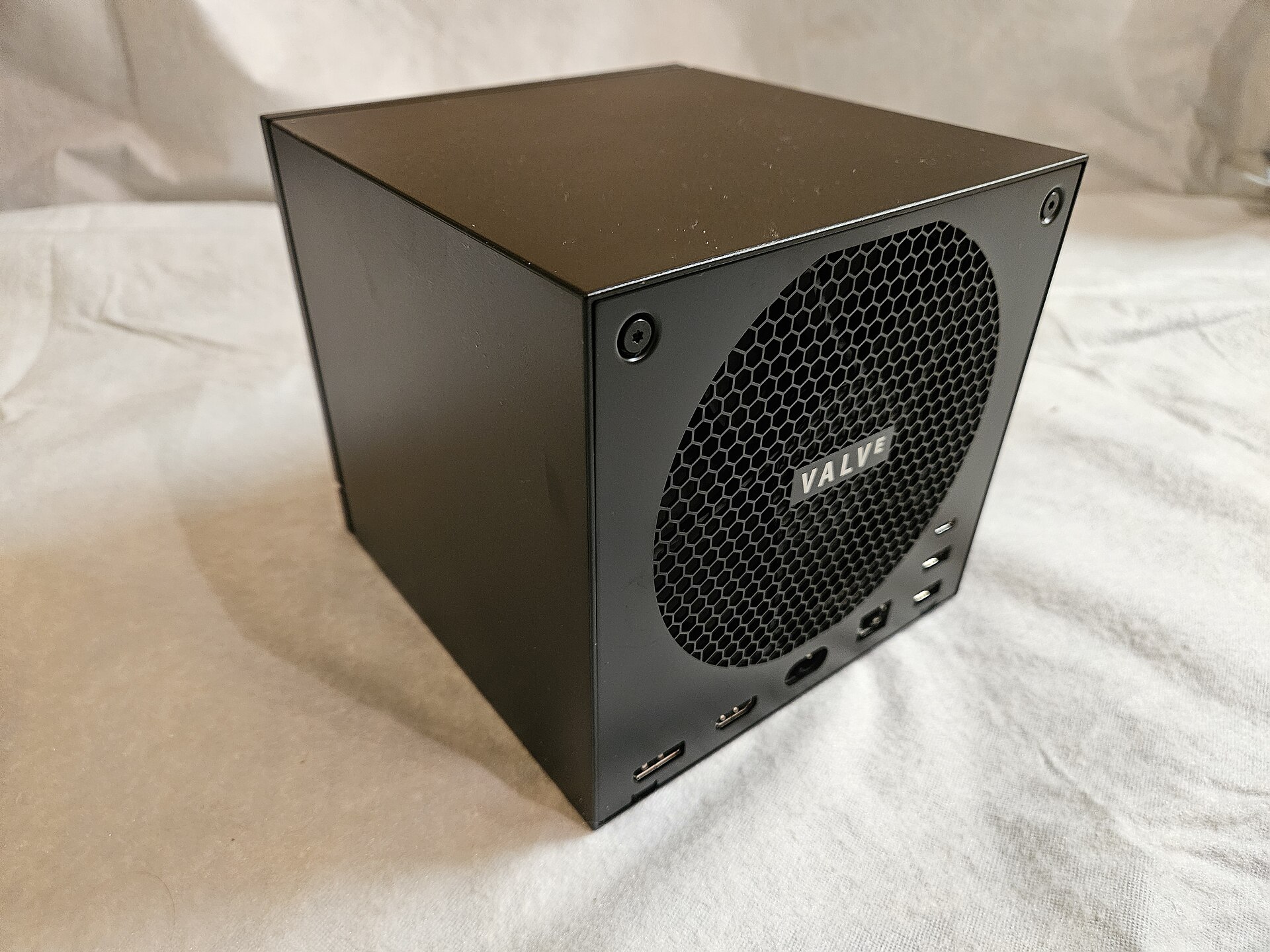
The Steam Machine pairs a 6-core AMD Zen 4 CPU with an AMD RDNA 3 GPU that has 28 compute units. It also has 16GB of system RAM and a separate 8GB of video memory. That’s mid-range desktop hardware in a box smaller than a shoebox.
| Component | Spec | What it means for gaming |
|---|---|---|
| CPU | Semi-custom AMD Zen 4, 6 cores/12 threads, up to 4.8GHz, 30W TDP | Strong enough for high frame rates in esports games |
| GPU | Semi-custom AMD RDNA 3, 28 CUs, 2.45GHz | A 1080p/1440p card, not a 4K card |
| System memory | 16GB DDR5 (SO-DIMM) | Enough for current games, and upgradeable |
| Video memory | 8GB GDDR6 | The main bottleneck for textures and ray tracing |
| Storage | 512GB or 2TB SSD, one M.2 slot (2230/2280), microSD | Upgradeable, but 512GB fills quickly |
| Video out | DisplayPort 1.4, HDMI 2.0 | HDMI 2.0 limits 4K to 60Hz on TVs |
| USB and network | USB-C 3.2 Gen 2, rear USB-A 2.0 x2, front USB-A x2, Gigabit Ethernet, Wi-Fi 6E, Bluetooth | Use wired Ethernet for competitive play |
| Power | 300W internal PSU | No power brick, one cable |
| Size | 156 x 152 x 162.4 mm, 2.6 kg | Fits a TV stand easily |
CPU and GPU
Valve calls the Steam Machine about six times more powerful than the Steam Deck. That says more about how small the Deck’s 8-CU handheld chip is than about how strong the Steam Machine is. Gamers Nexus found its graphics performance closest to the RX 6600, Intel Arc B570 and RTX 3060. Tom’s Guide put it at roughly a desktop RX 7600 or RTX 3060 in raw raster performance.
The CPU holds up better. In Tom’s Hardware’s Cyberpunk 2077 raster test, the Steam Machine scored 79.98 fps against 85.48 fps for a Ryzen 7600X desktop, a gap of under 6 fps.
Memory: 16GB DDR5 + 8GB GDDR6
The 8GB of VRAM is the spec most likely to age badly. Consoles share 16GB between CPU and GPU, so developers often design textures for a budget larger than 8GB. Digital Foundry warned before launch that 8GB “has been proven to be a limiting factor” in many modern AAA games, and Engadget and Windows Central both called it the biggest long-term weakness. In practice, texture quality is the first setting you’ll lower, and ray tracing hits the limit soonest.
Storage, ports and upgradeability
You can upgrade the SSD and RAM yourself. iFixit has a replacement guide, and Geeky Gadgets documented swapping the stock 2230 drive for a 4TB Kingston 2280 and upgrading the RAM to 64GB. Club386 notes that reaching the RAM means taking the unit apart, and there’s no second M.2 slot. The CPU, GPU and 8GB of VRAM are soldered.
Is the Steam Machine as powerful as a PS5?
It’s close. The Steam Machine roughly matches a base PlayStation 5 and falls slightly behind in GPU-heavy games, while the PS5 Pro and Xbox Series X are clearly ahead. In Digital Foundry’s testing the PS5 led by 3% in Black Myth: Wukong’s performance mode. The Steam Machine came out ahead in CPU-limited scenes such as Crimson Desert’s Bug Hill and Baldur’s Gate 3’s city areas.
| Device | Price vs Steam Machine 512GB | GPU class | Memory | Upgradeable | Ray tracing |
|---|---|---|---|---|---|
| Steam Machine | $1,049 | RDNA 3, 28 CUs (RTX 3060 class) | 16GB DDR5 + 8GB GDDR6 | SSD, RAM | Weak, limited by VRAM |
| PlayStation 5 | Much cheaper | RDNA 2, 36 CUs | 16GB GDDR6 shared | M.2 SSD slot | Basic |
| PS5 Pro | Cheaper (per TechRadar) | Upgraded RDNA, 60 CUs | 16GB GDDR6 + 2GB DDR5 | M.2 SSD slot | Best of the consoles |
| Xbox Series X | Much cheaper | RDNA 2, 52 CUs | 16GB GDDR6 shared | Expansion card | Basic |
| Steam Deck | Much cheaper | RDNA 2, 8 CUs | 16GB LPDDR5 shared | Internal M.2 2230 | Not practical |
Engadget compared the Steam Machine’s chip to an RTX 3060 paired with a Ryzen 5 3600, a typical mid-range PC from around 2021. Its headline, “This would’ve been perfect five years ago”, sums up the value problem. Notebookcheck reached a similar conclusion, with the PS5 ahead in its comparison.
Benchmarks: what fps to expect
At 1080p, expect around 60 fps at high-to-ultra settings in demanding games. At 1440p that drops to about 45 to 50 fps, and 4K needs FSR upscaling and can still fall under 30 fps. The figures below come from different reviewers, so check the preset and upscaling columns before comparing rows.
| Game | Resolution | Preset | Upscaling | Avg fps | Source |
|---|---|---|---|---|---|
| Black Myth: Wukong | 1080p native | High | None | 43 | Engadget |
| Cyberpunk 2077 | 1080p native | Ultra | None | Just under 60 | Engadget |
| Cyberpunk 2077 | 1440p native | Ultra | None | 45 | Notebookcheck |
| Cyberpunk 2077 | 1440p | High/Ultra | FSR Quality | About 50 | Noobfeed |
| Cyberpunk 2077 | 4K | High/Ultra | FSR Quality | Under 30 | Noobfeed |
1080p and 1440p
The Steam Machine works best at 1080p. Cyberpunk 2077 runs at about 60 fps on Ultra, and lighter games and esports titles can go well past 100 fps on a high refresh rate monitor. At 1440p, drop from Ultra to High or turn on FSR Quality to stay near 60. Notebookcheck found that Red Dead Redemption 2 handled 1440p well with some compromises.
Does it run games at native 4K?
Only older games and indies. New AAA games need FSR, and even upscaled from a lower internal resolution, Cyberpunk at high settings fell below 30 fps in Noobfeed’s test. HDMI 2.0 caps a 4K TV signal at 60Hz in any case.
Analyst note
On a 4K TV, set new games to 1440p output with FSR Quality, or 4K with FSR Performance at medium settings, and leave ray tracing off. Noobfeed’s Cyberpunk numbers show roughly a 20 fps gap between 1440p and 4K with FSR Quality on high settings.
Ray tracing: mostly unusable
Engadget found that Cyberpunk 2077 with low ray tracing and FSR Performance barely held 30 fps. With 8GB of VRAM and a 28-CU GPU, ray tracing on the Steam Machine is good for screenshots, not for actually playing.
Competitive and multiplayer games: what works and what’s blocked
Valve’s own games and most titles that use Valve Anti-Cheat (VAC) work on SteamOS, while most big shooters with kernel-level anti-cheat don’t. For competitive players this matters more than any benchmark. 80.lv reported that more than half of the 1,136 games on a crowd-sourced anti-cheat tracker can’t be played on SteamOS.
| Game | Anti-cheat | SteamOS status | Notes |
|---|---|---|---|
| Counter-Strike 2 | Valve Anti-Cheat (VAC) | Works | Valve’s own game. Use a wired connection for Premier |
| Dota 2 | VAC | Works | Runs natively on Linux |
| Rocket League | Easy Anti-Cheat | Works | Kept SteamOS support after adding EAC |
| Splitgate 2 | Custom (updated for Proton) | Works | The developer updated its anti-cheat for SteamOS |
| Valorant | Riot Vanguard (kernel) | Blocked | Needs Windows. Vanguard has no Linux support |
| League of Legends | Riot Vanguard (kernel) | Blocked | Applies across Riot’s PC library |
| Fortnite | Easy Anti-Cheat | Blocked | Epic hasn’t enabled Linux support |
| Apex Legends | Easy Anti-Cheat | Blocked | EA removed Linux support in October 2024 |
| Rainbow Six Siege | BattlEye | Blocked | Listed as broken on GamingOnLinux’s tracker |
| Call of Duty: Black Ops 7 | RICOCHET (kernel) | Blocked | Needs Secure Boot and TPM 2.0 on Windows |
| Battlefield 6 | EA Javelin (kernel) | Blocked | Javelin has no Linux support |
| EA Sports FC 26 | EA Javelin | Blocked | The same applies to EA Sports games generally |
| Destiny 2 | BattlEye | Blocked | Bungie hasn’t enabled SteamOS support |
Valve games (CS2, Dota 2)
Counter-Strike 2 and Dota 2 are the safest esports picks. The Zen 4 CPU suits CPU-bound games like CS2, where frame rate matters more than graphical detail. For a competitive setup, run 1080p on a 120Hz or faster display with low or medium settings to keep frame times steady. Plug in Ethernet instead of relying on Wi-Fi 6E.
Blocked by anti-cheat (Call of Duty, Battlefield 6, EA FC 26, Destiny 2)
Each publisher decides on anti-cheat support, not Valve. Easy Anti-Cheat and BattlEye can both run under Proton, but only when the developer turns that on. Valve engineer Pierre-Loup Griffais has said Valve is working with the major anti-cheat providers, and Valve has enabled TPM APIs so studios can build Linux-compatible checks. There’s no timeline, and EA, Activision, Epic and Riot haven’t committed to anything.
Can you install Windows to play Valorant or Call of Duty?
Yes. It’s a PC, and Valve’s documentation allows Windows 11. Club386 suggests a Windows partition as the way to reach League of Legends and Rainbow Six Siege. Tom’s Hardware describes Valve’s Windows support as minimal, though, so expect to find drivers yourself. You also lose SteamOS sleep and resume and the console interface. Kernel anti-cheat titles check Secure Boot and TPM, so make sure both are enabled before you install.
Analyst note
Before you buy for competitive play, check every multiplayer game you play against GamingOnLinux’s anti-cheat tracker. If your main game is Call of Duty, Battlefield 6, EA FC 26 or Valorant, plan for Windows or buy a console.
SteamOS and the Steam Controller
SteamOS is the Steam Deck’s Linux-based operating system, set up for a TV. Proton translates Windows games so they run on it, and per-game controller profiles help with games that don’t support gamepads well. The Steam Controller launched on May 4, 2026 at $99 / €99, ahead of the Steam Machine, with dual trackpads, gyro aiming and rear grip buttons.
Setting up controller profiles
Each game has its own controller layout. You can open it from the controller icon on the game’s page or from the Steam button menu while you play. Community layouts load automatically and sometimes get it wrong: Engadget saw gyro acting as a mouse with the click mapped wrong. To fix it:
- Open the game’s page in your library and select the controller icon.
- Choose Controller Settings, then browse Templates.
- Pick “Gamepad” (or “Gamepad with Gyro” for shooters) instead of the community default.
- Launch the game and check that the button prompts match.
Steam Controller vs a standard gamepad
The trackpads and gyro help most in mouse-driven games like strategy titles, RTS games and slower shooters, where a regular gamepad struggles. For CS2 or any competitive shooter, mouse and keyboard still win, and SteamOS supports them over USB or Bluetooth. A DualSense or Xbox pad is fine for action and sports games.
Did you know?
According to TechPowerUp, the Steam Frame VR headset announced alongside the Steam Machine went on sale in September 2026 starting at $1,059, which is $10 more than the 512GB Steam Machine, and Valve again used a reservation lottery to sell it.
Is the Steam Machine getting better with updates?
Yes. Post-launch SteamOS and Proton updates have fixed real launch problems. The two that matter most are much faster Wi-Fi and AMD’s FSR 4 upscaling arriving through Proton Experimental. Neither changes the hardware ceiling, but both make the box easier to recommend than it was in June.
| Update | Before | After | Who benefits |
|---|---|---|---|
| Wi-Fi throughput fix | Downloads capped around 180Mbps in Engadget’s setup | A steady 1Gbps over Wi-Fi | Anyone without Ethernet at the TV |
| FSR 4 / FSR 4.1 via Proton Experimental | FSR 3 and older only | AMD’s newer upscaler in compatible games | 1440p and 4K TV players |
Wi-Fi: from 180Mbps to 1Gbps
When Engadget first connected the Steam Machine to Wi-Fi, downloads wouldn’t go past 180Mbps. After a post-launch update, the same setup held a steady 1Gbps. With 100GB-plus AAA downloads, that cuts install waits from hours to minutes on a fast connection. For competitive play, wired Ethernet still gives you the most stable latency.
FSR 4 through Proton Experimental
GamingOnLinux reported in June 2026 that FSR 4 for RDNA 3 desktop GPUs and the Steam Machine became available on SteamOS through Proton Experimental. Valve later announced FSR 4.1 support on the same branch. There are two limits. It’s experimental and can break in some games, and it only works in games that already ship an upgradeable FSR version. Proton doesn’t add upscaling to games that have none.
For the 4K advice above, this mainly improves image quality, not speed. FSR 4 holds up better at lower internal resolutions, so 4K output with FSR Performance becomes a more reasonable choice in supported games than it was under FSR 3. The VRAM limit and the HDMI 2.0 60Hz cap don’t change. To try it, select Proton Experimental under the game’s Properties, Compatibility tab, and switch back if the game misbehaves.
Steam Machine vs Steam Deck vs DIY PC vs console
Buy a Steam Machine for a quiet, console-style Steam box, and a Steam Deck to play handheld. Build a gaming PC for the most performance per dollar. Get a PS5 if your main games are blocked on SteamOS.
| Option | Who it suits | Main trade-off |
|---|---|---|
| Steam Machine | Big Steam libraries, TV play, CS2/Dota 2 | Price and 8GB of VRAM |
| Steam Deck | Handheld play, travel | Far less power |
| DIY gaming PC | Performance per dollar, Windows-only games | Size, noise, setup work |
| PS5 / PS5 Pro | AAA and Call of Duty players | Separate game library, online subscription |
| Nintendo Switch 2 | Nintendo games, portable play | No Steam library |
Why does it cost more than a DIY PC?
You’re paying for convenience, not speed. Notebookcheck found faster gaming PCs for less money, and a DIY build gets you a better GPU with more VRAM. What a DIY build won’t easily give you is this size, a 300W internal PSU, near-silent cooling and SteamOS sleep and resume out of the box.
Is it worth it if you already own a Steam Deck?
Only if you want much more GPU power on a TV. A Deck can already dock to a TV or stream to one, and it uses the same library and cloud saves. If you mostly play indie games or older titles, a docked Deck is enough.
Steam Machine 1 vs Steam Machine 2: the 2015 history
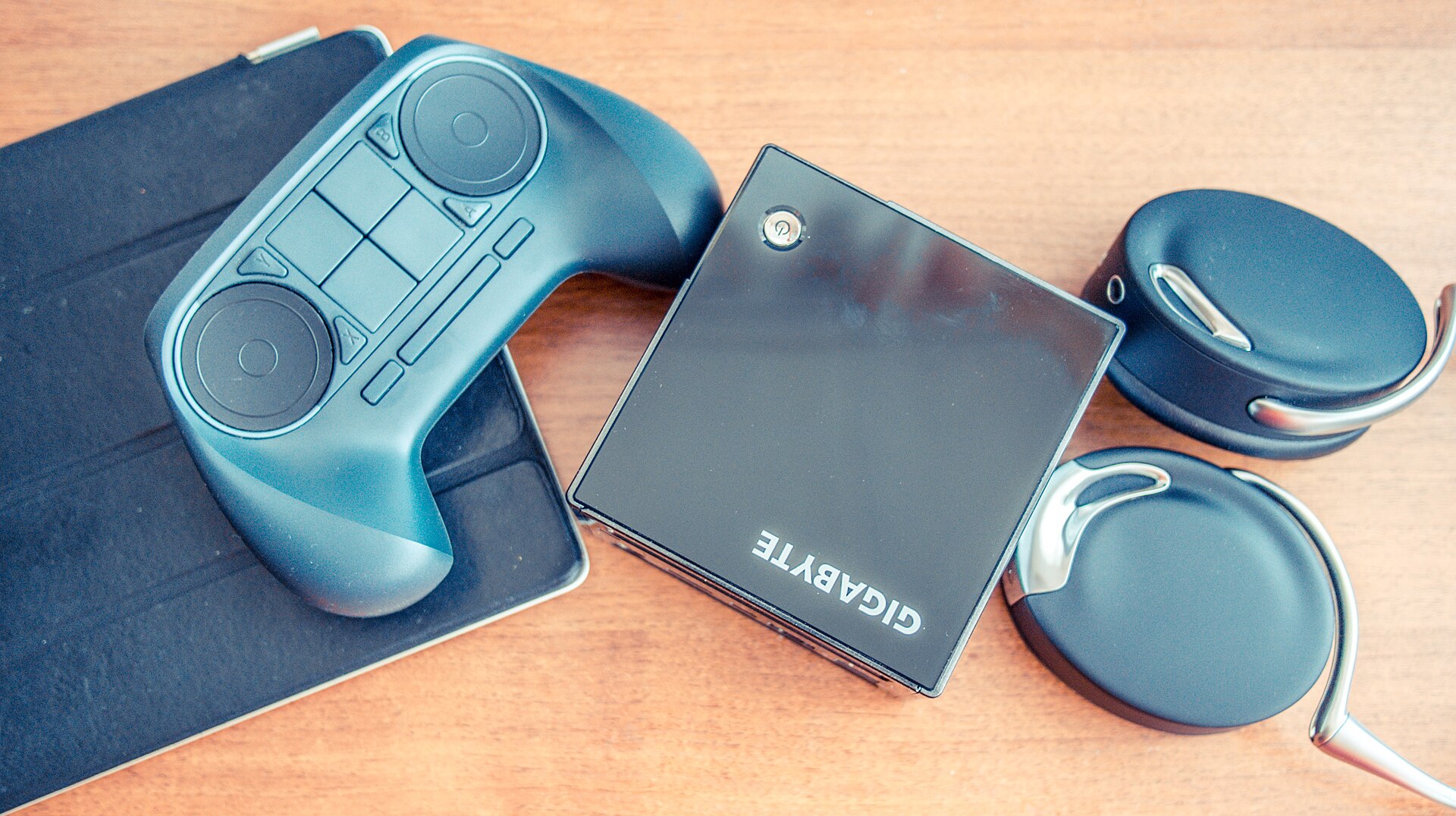
The original “Steam Machines” were a range of PCs from partners such as Alienware and Zotac, launched in late 2015 on an early SteamOS. Most were weaker or more expensive than Windows PCs, and Linux game support was thin before Proton. Valve removed the Steam Machines section from its store in 2018. The 2026 Steam Machine is Valve’s own hardware with one fixed spec, and Proton now runs most Windows games. That’s the main reason this attempt is doing better than the first.
Verdict: who should buy the Steam Machine
Reviews point the same way. Buy it if you have a large Steam library and want a quiet console-style box for indie games, older titles, CS2 and Dota 2. Skip it if you mainly play new AAA games, kernel anti-cheat shooters or EA sports games.
| Player type | Recommendation | Why |
|---|---|---|
| Backlog and indie players | Buy | SteamOS on a TV is excellent, and these games run well |
| AAA players | PS5 Pro or DIY build | More performance per dollar and no 8GB VRAM ceiling |
| Competitive multiplayer | Buy only for SteamOS-compatible games | CS2, Dota 2 and Rocket League work. Otherwise plan for Windows or another platform |
| Steam Deck owners | Mostly skip | Only worth it for much better TV performance |
The Steam Machine is for players who want PC games without having to manage a PC.
Should you wait?
The case for waiting depends on what you’re hoping for. A cheaper Steam Machine isn’t coming soon. Valve’s own update points to tighter supply and possibly higher prices. TrendForce’s November 2026 outlook has DRAM contract price rises slowing through 2027 and only levelling off in the second half of the year, with NAND contract prices starting to fall from the second quarter of 2027. Next-generation consoles are further away and less certain. Sony CEO Hiroki Totoki said in May 2026 that the next PlayStation’s timing and price aren’t decided, and that memory prices will stay very high through Sony’s fiscal year ending March 2028.
That fits with the buyer table above. If your games work on SteamOS and you want the box this year, buy the 512GB model now while it’s in stock, because the near-term risk is higher prices, not lower ones. If you mainly play AAA games and already own a PS5 or a capable PC, waiting costs you little. In that case, your best upgrade probably arrives with the next console generation or cheaper memory in late 2027 at the earliest, not with this machine.
Did you know?
According to TrendForce’s November 2026 forecast, NAND flash contract prices are expected to turn lower from the second quarter of 2027, earlier than DRAM. A larger M.2 SSD will likely get cheaper before the Steam Machine’s memory-heavy bill of materials does.
FAQ
How much does the Steam Machine cost?
In the US it costs $1,049 for 512GB and $1,349 for 2TB. There’s no $2,000 configuration. Searches for “$2,000 Steam game” are about expensive store listings, not this hardware.
Does the Steam Machine come with a controller?
Only the bundle versions. Bundling adds $79, so the total is $1,128 for 512GB or $1,428 for 2TB. Bought separately, the Steam Controller costs $99.
Is the Steam Machine as powerful as a PS5?
Roughly. It’s slightly behind a base PS5 in GPU-heavy games, ahead in some CPU-limited scenes, and clearly behind the PS5 Pro and Xbox Series X.
When did the Steam Machine come out?
Valve announced it in November 2025, and the first reservation orders started shipping on June 29, 2026. The 512GB model became openly available on November 19, 2026.
Can I buy a Steam Machine right now without a reservation?
Yes, the 512GB model, while supplies last. The 2TB waitlist is closed to new signups, and Valve won’t open a new 512GB waitlist when stock runs out.
Can the Steam Machine run games at 4K 60fps?
Older and lighter games, yes. New AAA games need FSR upscaling and lower settings. Cyberpunk 2077 fell below 30 fps at 4K with FSR Quality on high settings.
Does the Steam Machine support FSR 4?
Yes, in compatible games, through the Proton Experimental branch, which now includes FSR 4.1. The game has to ship an upgradeable FSR version, and since the branch is experimental, some titles may have issues.
Can you play Call of Duty, Fortnite or Valorant on the Steam Machine?
Not on SteamOS. RICOCHET, Epic’s Easy Anti-Cheat setup and Riot Vanguard all block it. A Windows install is the only route on this hardware, and Valve’s Windows driver support is minimal.
Is the Steam Machine upgradeable?
Partly. You can replace the M.2 SSD (2230 or 2280) and the DDR5 SO-DIMM RAM. The CPU, GPU and 8GB of VRAM are soldered.
Is the Steam Machine worth it over building a PC?
Not for raw performance, since a DIY build gives you more GPU for the money. It’s worth it if you’ll pay extra for a small, quiet box with a console-style SteamOS setup.
About this article

Written by Joseph Smith
Joseph Smith is a digital nomad born in the 90s who grew up on PlayStation platformers and Halo 2 multiplayer. He plays Counter-Strike and Dota 2 competitively and started Toopics to bring gamers closer together, especially through Discord. More about Joseph
- Published
Sources (8)
- Steam Hardware - Steam Machine: Reservation and waitlist updates (store.steampowered.com)
- Valve ends Steam Machine 2TB waitlist, 512GB model now available without reservations - VideoCardz (videocardz.com)
- Valve's $1,049 512GB Steam Machine can now be bought without a waitlist - Make Tech Easier (maketecheasier.com)
- You can now order the Steam Machine without a reservation - GamesRadar (gamesradar.com)
- Valve assures everyone on the Steam Machine reservation list - GamesRadar (gamesradar.com)
- Steam Machine release window, specs, and price - PCGamesN (pcgamesn.com)
- Valve Steam Machine review: This would've been perfect five years ago - Engadget (engadget.com)
- Valve's Steam Controller costs $99 and arrives May 4 - Engadget (engadget.com)