

The best Discord server for a gamer is almost always the official server for the game they play most, because that is where patch notes, developer answers and looking-for-group channels live in one place. Below we rank the twelve gaming servers we would join first, from Discord’s own Town Hall to the official Genshin Impact, Marvel Rivals and Blox Fruits communities, and we explain how to vet any public server before you commit. Member counts shift daily, so treat our size figures as tiers rather than exact numbers.
The shortlist
Every server in this table is public and listed on Discord’s own Discover page, which means it passed Discord’s partner-level safety checks and has more than 1,000 members. We prioritised servers where the online count stays high around the clock, because a server with 500,000 members and 4,000 online is dead for practical purposes.
| Server | Focus | Size tier | Language | What makes it good |
|---|---|---|---|---|
| Discord Town Hall | Platform news, feedback | Large (500k+) | English | Direct line to Discord staff, early feature previews |
| Genshin Impact Official | Co-op, codes, lore | Very large (1M+) | Multi-language | Regional LFG, redemption codes, HoYoverse moderators |
| Marvel Rivals | Hero shooter LFG | Very large (1M+) | English, with regional channels | NetEase devs post balance notes directly |
| Valorant | Ranked queue partners | Large (500k+) | English, regional | Rank-gated LFG, Riot announcements |
| Official Fortnite | Squads, item shop | Very large (1M+) | Multi-language | Epic community team, creative map sharing |
| Blox Fruits | Trading, raids, bosses | Very large (1M+) | English | Trade channels, update leaks from the developer |
| Steal a Brainrot | Roblox PvP, trading | Very large (1M+) | English | Fastest-growing Roblox community of 2025 |
| Volleyball Legends | Roblox sports, styles | Large (250k+) | English | Style guides, ranked matchmaking posts |
| Geometry Dash | Level sharing, demons | Large (250k+) | English | RobTop updates, verified level showcases |
| Minecraft | Survival, servers, mods | Large (500k+) | English | Mojang announcements, snapshot discussion |
| Apex Legends | Ranked trios | Large (500k+) | English | EA/Respawn patch notes, LFG by platform |
| Overwatch | 5v5 role queue | Large (250k+) | English | Blizzard dev posts, role-based LFG |
Three of these are Roblox game servers, which surprises people who think of Roblox as a kids’ platform. The numbers do not lie: Roblox experiences drive some of the largest and most active communities on the entire platform.
How we picked
We used four tests. We looked at the online count relative to total members, how fast a looking-for-group post got a reply, whether staff had posted in the last 48 hours, and whether the server had Discord’s Community features turned on (rules screening, onboarding, forum channels).
A good discord server to join should score on at least three of those. Every entry below scored on all four when we checked.
Analyst note
A healthy ratio is roughly one online member for every eight to ten total members. Genshin Impact Official regularly sits above that line, which is why its co-op channels answer within minutes even at 4am UTC.
1. Discord Town Hall
Discord’s official server is the one a lot of people search for when they type “discord discord server” into Google. It exists, it is public, and it is run by Discord staff.
Town Hall is not a gaming server in the strict sense. It is where Discord publishes changelogs, tests new features with community previews, and gathers feedback on things like the mobile redesign and the Shop.
We keep it in our list because anyone who runs a gaming community benefits from knowing about permission changes a week before they roll out. When Discord changed how onboarding questions work, Town Hall had the explanation before the support site did.
What to use it for:
- Reading the changelog channel when a client update breaks your bot
- Reporting bugs through the feedback forums with staff watching
- Finding out which features are rolling out to which regions
What it is not for: tech support for your account. Staff will redirect you to the support site, and random members will not be able to recover a hacked login for you.
2. Genshin Impact Official
HoYoverse runs this server, and it is the model other publishers copy. Membership passed a million long ago, and the online count stays in the high five figures.
The structure is the reason it works. Co-op channels are split by region (America, Europe, Asia, TW/HK/MO), so a player on the Europe server never wastes time matching with someone on Asia. Each region has its own looking-for-group feed where you post your Adventure Rank, what domain you need help with, and your UID.
The redemption codes channel alone justifies joining. Codes drop during every version livestream and expire within a day or two, and this channel pins them within minutes.
Other channels worth a look:
- Build advice channels sorted by element, where veterans will tell you to stop pulling for the wrong weapon
- Artifact showcase channels with actual substat rolls, useful for calibrating what “good enough” looks like
- Lore and theory channels that stay civil because the moderation team is large and active
HoYoverse staff post version preview summaries here, including the exact banner order for an upcoming patch, so the server is also the fastest reliable way to plan your Primogem budget.
3. Marvel Rivals

NetEase launched Marvel Rivals on December 6, 2024, and the official server grew faster than almost any game community we have tracked. It is a 6v6 hero shooter, and the server reflects that: role-based LFG channels, hero-specific discussion and a steady stream of developer posts.
What sets this server apart is how directly the balance team communicates. Season patch notes get posted in full, and developers have used the server to explain reasoning behind nerfs rather than leaving players to guess.
The LFG channels ask you to post your rank (Bronze through Eternity and One Above All), your main role (Vanguard, Duelist or Strategist) and your platform. Posts that include all three get replies fastest. Posts that just say “need team” sit there.
Analyst note
Strategist mains get picked up noticeably faster than Duelist mains in the ranked LFG channels. If you flex to support, say so in your post and you will skip the queue.
The server also hosts official tournament announcements. Competitive players who want roster news should follow the esports channel rather than relying on social media reposts.
4. Valorant
Riot’s official Valorant server is where we send anyone who wants ranked queue partners who will not throw. The LFG channels are gated by rank bracket, which cuts down on the Iron player who claims to be Immortal.
The brackets follow Valorant’s actual rank ladder: Iron, Bronze, Silver, Gold, Platinum, Diamond, Ascendant, Immortal and Radiant. You post your current rank, your preferred agents and your region, and the server’s rules ask you to keep the post short.
Riot posts patch notes here at the same time they go live on the official site. Agent changes, map rotation updates and Episode and Act schedules all land in the announcements channel, and the community channels react within minutes.
Valorant’s server has one of the stricter moderation setups we have seen. Rules screening is on, the verification level is set to High (ten minutes in the server before you can post), and bot-driven slowmode kicks in during patch drops. That is a feature. It is why the server stays readable at 60,000 people online.
5. Official Fortnite
Epic’s official server is enormous and chaotic in a way that fits the game. It has squad-finding channels split by platform and mode, creative map sharing channels where you post island codes, and an item shop channel that updates daily.
The server is also multi-language, with dedicated sections for Spanish, Portuguese, French, German and several others. If English is not your first language, this is one of the few game servers where you will find a full community in your own.
Where it earns its spot:
- Zero Build and Ranked squads fill fast because the player base is so large
- Epic’s community team posts hotfix notes, which often come before the formal patch notes
- Creative mode builders get real feedback on their islands from other builders
Where it falls short: the general chat channels move too fast to hold a conversation. Use the forum channels instead, where posts stick around.
6. Blox Fruits
Blox Fruits is a Roblox game inspired by One Piece, developed by Gamer Robot, and its Discord server has been one of the largest on the whole platform for years. Trading is the heart of the server.
The trading channels have strict formatting rules. You post what you have, what you want, and nothing else. Moderators remove anything that looks like a real-money offer, because trading Roblox items for cash violates Roblox’s terms and gets accounts banned.
Beyond trading, the server runs:
- Raid and boss-hunting channels sorted by sea (First, Second, Third)
- Update channels where the developers post teasers for upcoming fruits and content
- Value discussion channels where the community debates what a given fruit is worth in trade
The value debates are genuinely useful. New players routinely get scammed in-game by accepting a bad trade, and spending ten minutes reading the value channel prevents most of that.
Stay safe
Anyone who DMs you offering a Blox Fruits trade “off-server” or asking you to join a different Discord server to complete it is attempting a scam. Keep every trade inside the game’s trading system and ignore unsolicited DMs.
7. Steal a Brainrot
Steal a Brainrot launched on Roblox in May 2025 and set concurrent-player records within months. The game loop is simple: buy “brainrot” characters, protect your base, and raid other players to steal theirs.
The official server grew as fast as the game did. It is loud, young and full of trading requests, which means it needs the most careful handling of any server on this list.
The useful channels are:
- Update news, where the developers announce new brainrots and events ahead of weekend drops
- Base defence discussion, where players share layouts and timing for the lock mechanic
- Bug reports, which the team actually reads
Trading in Steal a Brainrot is in-game only, and the Discord trading channels are for finding partners rather than completing deals. Scammers are extremely active here because the player base skews young. We would not let anyone under 13 use this server, and Discord’s own rules say the same.
8. Volleyball Legends
Volleyball Legends is a Roblox volleyball game built around styles and abilities inspired by Haikyuu, and its server is smaller than the other Roblox entries but far more focused. The community behaves like a sports community: positions, strategy and ranked matches.
The style guides channel explains what each style actually does, which the game itself does poorly. Setters, spikers and liberos each have dedicated threads where players post ability rotations and timing.
Ranked matchmaking posts work like LFG in any competitive game. You state your rank, your style and your role, and you get a team. Matches organised through the server tend to be more serious than public lobbies, which is the whole point of joining.
9. Geometry Dash
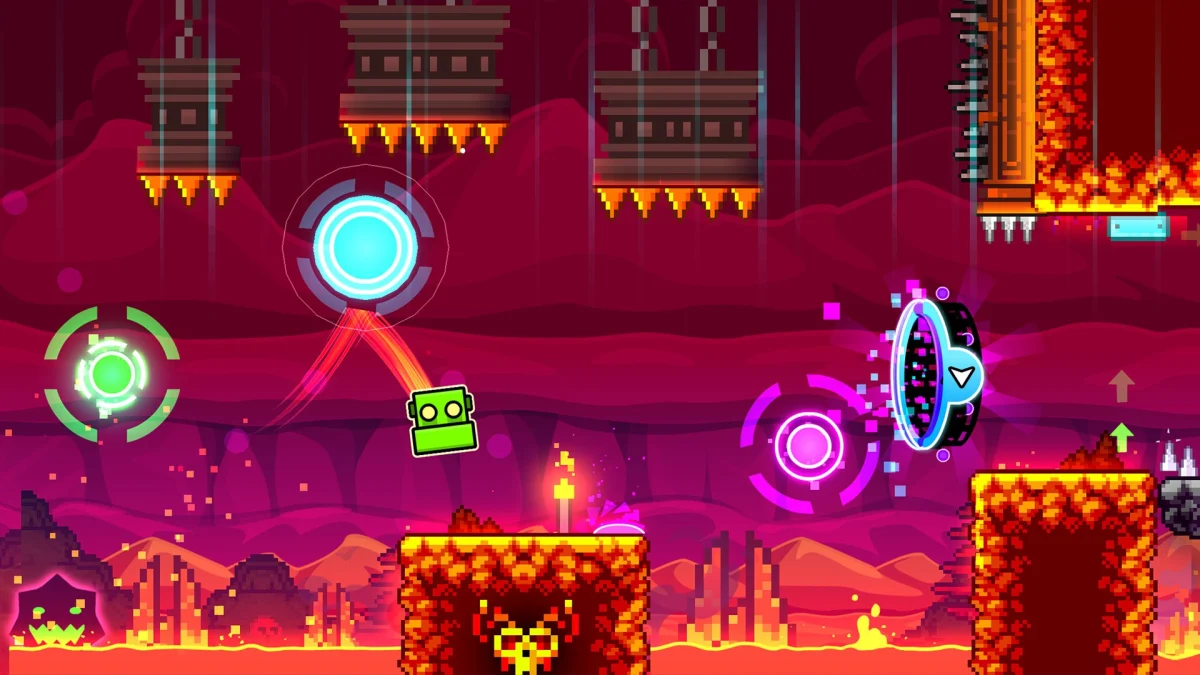
RobTop’s official Geometry Dash server is the opposite of Fortnite’s: smaller, slower and extremely dedicated. Geometry Dash’s 2.2 update shipped on December 19, 2023 after years of waiting, and the server was where most players tracked its rollout.
Level sharing is the main activity. Creators post level IDs, players verify them, and the community rates difficulty against the demon list. Extreme demon completions get posted with video proof, and the reactions are the closest thing Geometry Dash has to a hall of fame.
Other channels cover:
- Editor help, where veteran creators answer trigger questions
- Update discussion, where RobTop occasionally drops hints
- Music and art, because the game’s level design overlaps with both
If you are stuck on a level, this is the right place to ask. The answer will usually be “practice the first 40 percent more” delivered kindly.
10. Minecraft
Mojang’s official Minecraft server covers Java and Bedrock, survival and creative, vanilla and modded. It is big enough that you can find a channel for any play style and small enough per channel that conversations stick.
Snapshot discussion is the standout. Every Java snapshot gets a thread, and the players who test them post their findings quickly. If you want to know whether a new mob mechanic is worth building around before the update goes live, this is where you look.
The server listing channels are useful for finding survival servers to join, though we would run any server you find through the same vetting steps we describe later in this article. Mojang moderates the official server, but it cannot vouch for every community that advertises inside it.
11. Apex Legends
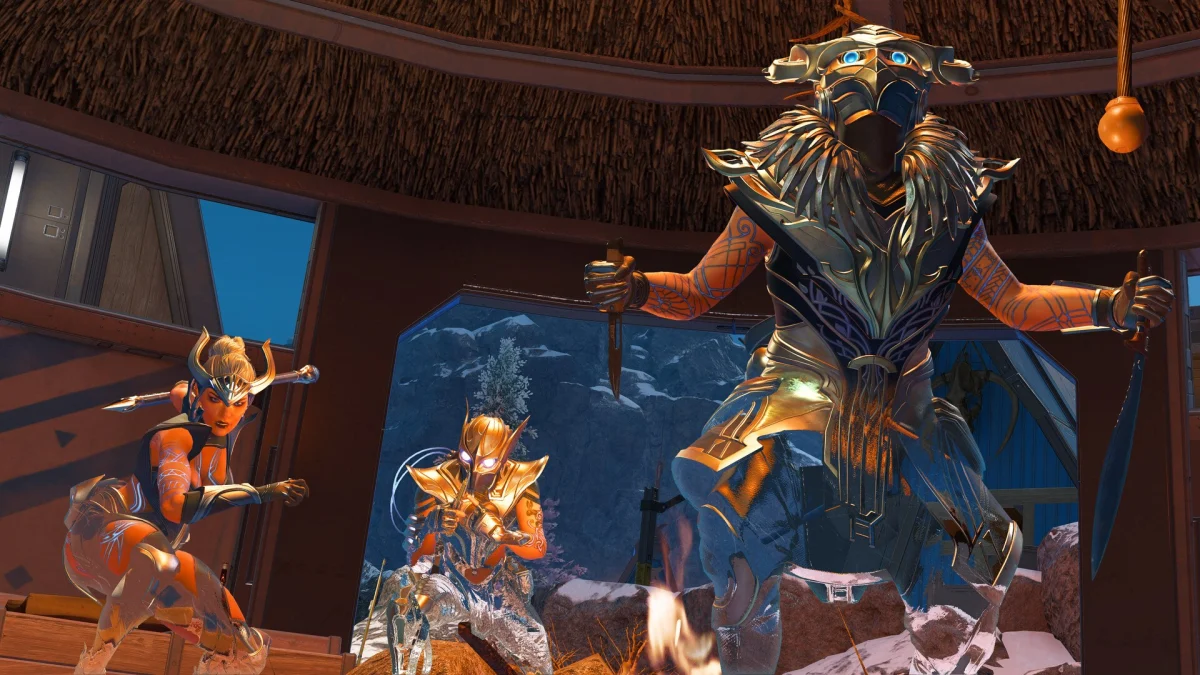
Respawn and EA run the Apex Legends official server, and it does LFG by platform well. PC, PlayStation, Xbox and Switch each have their own ranked and casual channels, with region tags on top.
Patch notes post here in full on the day. Legend balance changes, weapon tuning and map rotation schedules all land in one channel, which beats hunting through social media.
Ranked LFG asks for your current rank and your mains. Masters and Predator players mostly organise elsewhere, but the Platinum and Diamond channels are busy and reliable for trios.
12. Overwatch
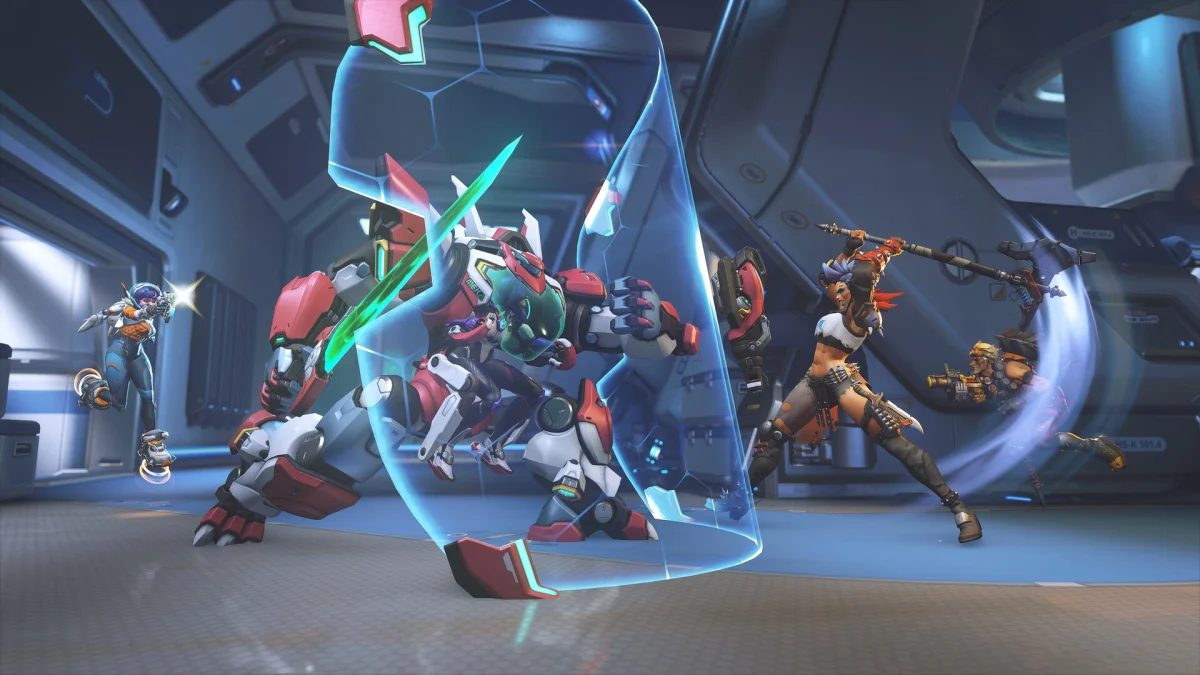
Blizzard’s official Overwatch server has been public since 2022, and it is organised around the game’s 5v5 role queue. Tank, Damage and Support players each have LFG threads, and posts list rank and region.
Developer posts are the reason to stay. Blizzard uses the server for director’s takes, patch previews and competitive season announcements. The community discussion is as argumentative as any Overwatch space, but the moderation team keeps it inside the rules.
Beyond official servers: public hangouts and niche communities
Official servers are the safe first choice, but the best cool discord server for you might be a 5,000-member community built around one niche. Fighting game locals, speedrunning categories, retro collecting, single modpacks and single Valorant agents all have thriving public servers.
Discord’s Discover page is the right place to find them. Here is how to use it well.
Quick steps: Find a public server on Discover
- Open Discord and click the compass icon (Discover) at the bottom of your server list.
- Choose the Gaming category from the left sidebar.
- Type a game name or niche into the search bar at the top.
- Open a listing and read the server description and member count.
- Click Join Server, then complete rules screening and onboarding.
Discover only lists servers that have enabled Community features, hold at least 1,000 members and pass Discord’s safety guidelines. It is not a complete server list. Smaller communities live on third-party listing sites and in-game invites, and those need more vetting.
What to look for in a Discover listing:
- An online count that is at least a tenth of the total member count
- A description that says what the server is for in plain language
- “Bumped recently” or active status on third-party lists, which signals a living moderation team
- Onboarding questions that let you pick roles, because that means the owner has configured the server properly
What to avoid:
- Any server that promises free Nitro, Robux, V-Bucks or in-game currency
- Any gaming server that advertises account selling, boosting services, cheats or gambling
- Servers whose rules channel is empty or whose last announcement is months old
How to vet a server in ten minutes
We use the same routine on every server we join. It catches almost everything.
First, read the rules channel. A good discord server has rules that are specific to the game and the community, not a copied template. Rules that mention the game’s actual trading system, rank brackets or spoiler policy signal a staff team that plays the game.
Second, open the general chat and scroll back one hour. Count how many different people posted. Ten or more distinct posters in an hour means the server is alive. Two people arguing means it is not.
Third, check who the staff are. Click the member list and look for the moderator role. If the moderators are all offline and the owner has not posted in weeks, leave.
Fourth, test the LFG. Post one properly formatted request and time the reply. On the official servers above, a correctly formatted post gets a reply within fifteen minutes at peak hours. If nothing happens in an hour, the server is for reading, not playing.
Analyst note
Servers that run slowmode of 5 to 10 seconds in general chat and 1 to 2 minutes in LFG channels tend to have the best signal-to-noise ratio. Those values are what Valorant and Genshin use, and they are a good sign the owner understands moderation.
Protect your account before you join anything
Public servers expose you to strangers. The settings below reduce the risk, and we apply all of them before joining any server with more than a few hundred members.
Quick steps: Lock down DMs for a new server
- Right-click the server icon in your server list.
- Select Privacy Settings.
- Turn off Allow direct messages from server members.
- Open User Settings, then Privacy & Safety, and set Direct Messages to filter messages from non-friends.
- Under Privacy & Safety, confirm two-factor authentication is enabled on your account.
With server DMs off, nobody from that server can message you unless you already share a friendship. That alone stops the majority of scam attempts, because scams almost always start with an unsolicited DM.
Stay safe
Discord staff never DM you to offer free Nitro, warn you about a ban or ask you to verify your account through a link. Any such message is a phishing attempt. Report it through the message’s menu and block the sender.
Two more rules we follow:
- Never scan a QR code someone sends you. Discord’s QR login lets an attacker take over your session in one scan.
- Never download a “game file”, “trade bot” or “rank checker” from a server member. Legitimate game communities do not distribute executables through Discord.
Age limits matter too. Discord requires users to be at least 13, and some countries set the bar higher. Servers marked age-restricted require users to be 18 or older, and the Roblox servers in our list are explicitly not for anyone under 13 regardless of how young the game’s audience looks.
Setting up a Discord server of your own
Some of our readers will finish this list and decide that none of these servers fits their friend group. Making your own is quick, and most of the value comes from three settings.
Quick steps: Create a basic gaming server
- Click the plus icon at the bottom of your server list and choose Create My Own.
- Pick For me and my friends for a private server, or For a club or community for a public one.
- Name the server and upload an icon.
- Open Server Settings, then Safety Setup, and set Verification Level to Medium or higher.
- Open Server Settings, then Community, and enable Community to unlock rules screening and onboarding.
Verification Level is the setting most new owners skip. Low requires a verified email. Medium requires the account to be at least five minutes old. High requires ten minutes as a server member before posting. Highest requires a verified phone number. Medium is the right default for a friends server; High or Highest for anything public.
Once Community is on, set up onboarding questions so new members pick their game and platform roles. Then add moderation and LFG tooling. We cover the specific choices in our guide to discord bots for gaming, which walks through which bots handle raids, which handle role assignment and which run party-finder posts.
Server types explained
People use different phrases for the same things, so here is a quick glossary of what gaming Discord servers actually come in.
| Type | What it means | Example from our list |
|---|---|---|
| Official | Run by the game’s developer or publisher | Genshin Impact Official, Valorant |
| Community | Run by fans, often with developer involvement | Most Roblox game servers |
| Platform | Run by Discord itself | Discord Town Hall |
| Public | Open to anyone with the link or via Discover | All twelve above |
| Private | Invite only, not listed anywhere | Your friends’ squad server |
| Niche | Built around one game mode, character or category | Speedrunning and fighting game locals |
| Random | General hangout with no single game focus | Many Discover “Gaming” listings |
A “random” discord server has its place. Some of our readers want somewhere to talk about whatever they are playing this week. The vetting steps above apply even more firmly there, because random servers attract more scammers than game-specific ones.
Our final ranking
If you only join three servers, make them the official server for your main game, Discord Town Hall for platform awareness, and one small niche community where you can actually have a conversation.
For a Valorant main, that means Valorant, Town Hall and a regional ranked community. For a Genshin player, Genshin Impact Official, Town Hall and a build-theory server. For a Roblox player, the official server for your current game, Town Hall and nothing else until you are confident at spotting scams.
Big official servers give you information and queue partners. Small niche servers give you friends. Most gamers want both, and no single server delivers both well.
FAQ
Does Discord have its own official server?
Yes. Discord Town Hall is Discord’s official server, run by Discord staff and listed on the Discover page. It covers changelogs, feature previews and feedback. It does not provide account support.
How do I find a Discord server to join for a specific game?
Open the Discover page via the compass icon, choose Gaming, and search the game’s name. Official servers usually appear first and carry a verified badge. Check the online count before joining.
What is a good size for a gaming Discord server?
It depends on the goal. For LFG, bigger is better because queues fill faster. For conversation, 2,000 to 20,000 members with a strong online ratio is the sweet spot. Below 500 members, LFG rarely works.
Are public Discord servers safe?
The servers listed on Discover meet Discord’s safety requirements, but any public server exposes you to strangers. Turn off direct messages from server members, enable two-factor authentication and never click Nitro or currency giveaway links.
Why can’t I post in a server I just joined?
Most large servers use a High verification level, which requires ten minutes of membership before posting, and rules screening, which requires you to accept the rules. Check for a rules or onboarding prompt at the top of the channel list.
Can I join a Discord server without an account?
No. Discord requires an account to join servers, and most public servers also require a verified email. Some require a verified phone number if their verification level is set to Highest.
About this article

Written by Joseph Smith
Joseph Smith is a digital nomad born in the 90s who grew up on PlayStation platformers and Halo 2 multiplayer. He plays Counter-Strike and Dota 2 competitively and started Toopics to bring gamers closer together, especially through Discord. More about Joseph
- Published · Updated