
Viewers claimed 41 million Twitch Drops across more than 6,000 campaigns in 2024, according to Twitch’s developer documentation. Twitch Drops are free in-game rewards you earn by watching, or sometimes subscribing on, Drops-enabled streams, and you claim them in your Twitch inventory. Most lost rewards come from one mistake: claiming before your game account is linked.
Quick steps: go straight to your drops
- Check progress and claim rewards: twitch.tv/drops/inventory (signed in).
- See every live and upcoming campaign: twitch.tv/drops/campaigns (signed in).
- Read Twitch’s official viewer help: “How to Earn Drops” on help.twitch.tv.
- Rust rounds and Steam linking: twitch.facepunch.com.
Thread summary
- Link your game account on the publisher’s site before you watch or claim.
- Only Drops-enabled live streams in the right category count, and only one channel earns at a time.
- Standard drops usually need 15-30 minutes of watching. Premium drops often need 3-6 hours.
- A bar stuck at 99% usually means an earlier drop in the chain hasn’t been claimed yet.
- Delivery to the game ranges from about 10 minutes (Rust) to 24 hours (Blizzard).
Twitch Drops today (updated November 27, 2026)
As of November 27, 2026, the live campaigns are Grand Theft Auto VI’s: a launch campaign with badges and emotes, plus daily random game-code drops, both running through November 30. Winter Drops Fest follows in December with more than 30 exclusive drops. Rust is between rounds.
| Campaign | Dates | Reward | Status (Nov 27) | Source |
|---|---|---|---|---|
| GTAVI Launch Celebration | Nov 18-30, 2026 | Twitch badges and emotes, no in-game items | Live | Insider Gaming, GIGA |
| GTA VI daily code drops | Nov 19-30, 2026 | Randomly awarded game codes | Live | Twitch on X, Shacknews, CXM |
| Kick GTA VI giveaway | Through Dec 7, 2026 | 10,000 Ultimate Edition codes | Live (Kick, not Twitch) | TweakTown, Dexerto, Notebookcheck |
| Winter Drops Fest | December 2026, dates not yet published | 30+ exclusive drops | Announced | Twitch blog |
| The Game Awards tie-in | Dec 10, 2026 | Not yet detailed | Announced | Twitch blog |
| Rust Round 54 “Base Invaders” | Oct 23-Nov 1, 2026 | 6 skins (5 general, 1 streamer) | Ended | Space-Node, Facepunch |
To see the full live list, sign in and open twitch.tv/drops/campaigns. If you’re logged out, that page only shows live channels.
Live now: GTA VI
GTA VI has two separate Twitch promotions running. Insider Gaming reports that the “GTAVI Launch Celebration” campaign started November 18, one day before the game’s November 19 release. It rewards Twitch badges and emotes, not items inside the game. German outlet GIGA lists the same November 18-30 window and reports that the campaign asks you to link a Rockstar Games account.
The second promotion is the code drop. Twitch CEO Dan Clancy announced it during the TwitchCon San Diego 2026 keynote on November 13, and Twitch confirmed on X that it gives away GTA VI codes daily through the end of November. These codes don’t work like normal drops, because hitting a watch-time target doesn’t guarantee one. Viewers on GTA VI streams are picked at random, get a notification on Twitch and claim the code from their inventory. Shacknews describes them as Ultimate Edition codes, but other early reports disagreed. Twitch hasn’t published how many codes exist or the full eligibility rules.
Kick, a rival streaming platform, runs its own giveaway separately. TweakTown and Dexerto report that its “Sunset Reward Case” holds 10,000 digital GTA VI Ultimate Edition codes for PS5 and Xbox Series X|S. Three hours of watching any Kick stream unlocks a case with a chance at a code, and the giveaway runs through December 7. Kick hasn’t disclosed the odds. Xbox codes are open worldwide, but PS5 codes need a PlayStation Network account in a supported country, such as the US, UK, Canada or Japan. Neither Rockstar Games nor Take-Two runs any of these promotions.
Stay safe
Real GTA VI codes only arrive through a Twitch or Kick notification and that platform’s own inventory. A DM, Discord link or “free code” offer that asks you to log in somewhere else is a scam.
Starting in December
Twitch’s TwitchCon San Diego recap from November 13 confirmed that Winter Drops Fest returns in December with more than 30 exclusive drops. Arc Raiders, Marvel Rivals, World of Warcraft: Forever and Warframe are among the games. Twitch is also teaming up with The Game Awards on December 10. Twitch hasn’t published start and end dates for the festival yet. Each game’s window appears on the Campaigns page once that campaign is scheduled.
Recently ended
Rust Round 54, “Base Invaders”, ran from October 23, 2026 at 18:00 UTC to November 1 at 23:59 UTC. Rustoria hosted it, and it had six drops: five general and one tied to a streamer. Third-party trackers checking in early November found no newer round. Facepunch Studios’ drops site will list the next one once it’s announced.
What Twitch Drops are and how the system works
The game’s developer pays for and configures each Twitch Drop, and Twitch only tracks whether you qualified. The developer sets up the campaign in the Twitch developer console. Twitch counts your watch time or subs on eligible streams. You claim the reward, and the developer’s systems deliver it to your linked game account.
That split explains most of the confusing behaviour. Twitch owns progress and claiming. The publisher owns linking and delivery. When something breaks, the symptom tells you which side to contact. Twitch’s developer docs send viewers with problems to the game developer running the campaign and to Twitch’s “How to Earn Drops” help article.
Twitch’s developer rules also limit what a drop can be. Rewards can’t have monetary value, which rules out items you can trade for cash, crypto and NFTs. The Rust wiki says it directly: skins earned on Twitch are account-bound and can’t be traded or sold.
Did you know?
Twitch’s developer documentation says that if a campaign is limited to an allowlist of creators and all of them are offline, nobody can earn that drop. You only make progress while an approved channel is live.
Drop types at a glance
Most campaigns use time-based drops, but there are four other formats worth knowing.
| Type | How you unlock it | What to watch for |
|---|---|---|
| Time-based | Watch a Drops-enabled live stream for a set number of minutes | The most common format |
| Subscription-based | Subscribe or gift subs on a participating channel, usually 1-2 subs | Costs money, so judge the reward before you pay |
| Streamer-specific | Watch only allowlisted channels | The clock stops when those channels go offline |
| Mission-based | Claiming unlocks an in-game mission, and finishing it gives the reward | World of Tanks uses this. You still have to play |
| Creator Badge Drops | Creator-run campaigns that reward a chat badge | No game account needed |
General vs streamer-specific drops
General drops count on any Drops-enabled stream in the game’s category. Streamer-specific drops only count on channels the developer has allowlisted. Rust uses both, and Round 54 had five general drops and one tied to a streamer. For an allowlisted drop, check when that creator usually goes live, because your clock only runs during their broadcast.
Creator Badge Drops (new in 2026)
At TwitchCon Rotterdam on May 30, 2026, Twitch launched Creator Badge Drops. Creators run these campaigns themselves, and the reward is a chat badge rather than a game item. In August 2026, BadgeBase, a third-party badge tracker, reported that Twitch had raised the limits to allow up to 100 gifted subs. At the same event, Twitch redesigned how drops appear on channels. Viewers can now see which drops a channel offers, how to earn them and where to track progress. The inventory pages on web and mobile were updated too.
How to claim Twitch Drops step by step
To claim a drop, link your game account first, then watch a Drops-enabled stream while signed in. Claim the reward in chat or in your Drops inventory, then check the game. Doing these steps out of order is the main reason rewards go missing.
Quick steps: claim a Twitch Drop
- Link Twitch to your game account on the publisher’s connect page.
- Open twitch.tv/drops/campaigns and confirm the campaign is active.
- Watch a live stream with the Drops Enabled tag in that game’s category.
- Keep watching while signed in until the progress bar fills.
- Click Claim in the chat prompt or at twitch.tv/drops/inventory.
- Launch the game and check your inventory or mailbox.
Link your game account first
Each campaign card on the Campaigns page has a button that takes you to the publisher’s linking page. The major publishers handle it in these places:
| Publisher | Where you link | Publisher’s own note |
|---|---|---|
| Epic Games (Fortnite) | Epic account settings, Connections | Link before the event starts and before you claim |
| Blizzard (Battle.net) | Battle.net connection to Twitch | A separate support article covers drops sent to the wrong Battle.net account |
| Facepunch (Rust) | Connect page on twitch.facepunch.com (Steam) | The Rust wiki says to set your Steam profile to Online |
| Rockstar Games | Rockstar Games account, linked to Twitch | Rockstar Support has a linking guide |
Analyst note
Epic and Facepunch both say that claiming without a linked account is the most common reason rewards go missing. Linking takes about a minute. Getting a lost drop re-sent can take a support ticket and days of waiting.
Find eligible streams
Open the game’s category directory on Twitch and look for the Drops Enabled tag. Since the 2026 redesign, a channel also shows which drops it offers. The tag alone isn’t enough, though. The stream also has to be live in the right category, the campaign has to be active, and for streamer-specific drops the channel has to be on the allowlist. Recorded broadcasts and VODs don’t count.
Check and claim from the Inventory page
When a drop is ready, a prompt appears in the stream’s chat area. If you miss it, go to twitch.tv/drops/inventory. Unclaimed rewards wait there with a Claim button until the campaign’s claim window closes. The progress bars for drops you’re still earning also show there, so that’s where you check that your time is counting.
The Twitch Drops website has two pages that do different jobs. The Campaigns page (twitch.tv/drops/campaigns) shows what you can earn: every active and upcoming campaign, its dates, its eligible channels and its account-linking button. The Inventory page (twitch.tv/drops/inventory) shows what you have: drops in progress, drops ready to claim and drops already claimed.
| Page | Address | Use it to |
|---|---|---|
| Campaigns | twitch.tv/drops/campaigns | Find live and upcoming drops, check dates, open the publisher’s linking page |
| Inventory | twitch.tv/drops/inventory | Watch progress bars, press Claim, confirm past claims |
| Help | “How to Earn Drops” on help.twitch.tv | Twitch’s official viewer rules and support route |
Opening the Inventory on desktop
In a desktop browser, sign in to twitch.tv, click your profile picture in the top-right corner and choose Drops (some versions label it Drops & Rewards) to open the Inventory. If the menu wording has changed, typing twitch.tv/drops/inventory into the address bar always works. You don’t need any extra software: the Inventory runs in a normal browser on Windows, macOS or Linux.
Claiming on mobile
The Twitch mobile app earns and claims drops, and its inventory was rebuilt in the May 2026 update. Watch in the app while signed into the Twitch account that’s linked to your game, then claim from the Drops & Rewards inventory. You’ll usually link accounts in a mobile browser on the publisher’s site, not in the Twitch app.
How long do drops take? Watch-time and delivery benchmarks
Plan on 15-30 minutes for a standard drop and 3-6 hours for a high-value one. Twitch’s developer guidance recommends the shorter baseline, and most developers set the longer range for premium rewards. After you claim, delivery takes anywhere from a few minutes to a day, depending on the publisher.
Typical watch-time tiers
| Reward type | Typical requirement | Notes |
|---|---|---|
| Standard drop (cosmetic, emote, small item) | 15-30 min of watching | Twitch’s recommended baseline |
| High-value drop (rare skin, bundle) | 3-6 h of watching | Often split into several chained tiers |
| Subscription drop | 1-2 subs or gifted subs | Costs money, so check the reward first |
| Streamer-specific drop | Same timers, allowlisted channels only | Progress pauses when those channels go offline |
| Random code drop (GTA VI, Nov 2026) | Watching makes you eligible, the award is random | Watch time doesn’t guarantee a code |
Here’s a worked example. A campaign with three 2-hour tiers needs 6 hours of watching, and only one channel counts at a time. If you can watch 90 minutes each evening, that’s four sessions, so start in the first half of a week-long campaign. If you start on the last day, you have no margin when the stream you’re on goes offline.
Delivery delays by publisher
| Game / Publisher | Where to link | Delivery after claim | Expiry / special rule | Source |
|---|---|---|---|---|
| Rust (Facepunch Studios) | twitch.facepunch.com Connect page (Steam) | Up to 10 minutes | Items only deliver once you own Rust on Steam. Drops claimed before buying can be redeemed within 180 days | Facepunch drops site |
| Blizzard games (Battle.net) | Battle.net account, linked to Twitch | Up to 24 hours | Drops follow the linked Battle.net account | Blizzard Support |
| Fortnite and Epic titles | Epic account settings, Connections | Varies by campaign | Link before the event and before claiming. Cabined Accounts need a parent or guardian to finish setup | Epic Games Help |
| GTA VI (Twitch promotions) | Twitch account. GIGA reports Rockstar linking for the launch campaign | Codes and badges appear on Twitch | Campaigns end Nov 30, so claim promptly | Twitch on X, Shacknews, GIGA |
Did you know?
According to Facepunch, if you claim Rust drops before buying the game, you can still redeem them for up to 180 days after you buy it. They won’t appear automatically, though. You have to use the site’s redeem flow.
Twitch Drops not working? Fix it in this order
Start with the cheapest fix and work toward the slowest. First confirm the stream is eligible. Then claim any earlier drops in the chain. Then check the account link. Only after that, contact support. Each step rules out one side, Twitch or the publisher.
| Symptom | Likely cause | Fix | Source |
|---|---|---|---|
| No progress while watching | Stream not Drops-enabled, wrong category, VOD, or campaign not live | Check the Drops Enabled tag, that the stream is live and the campaign dates, then switch channels | Twitch developer docs |
| Progress stops partway | Allowlisted channel went offline, or the tab stopped playing | Move to another eligible live channel and keep the player visible | Twitch developer docs |
| Stuck at 99% | Sequential campaign with an earlier drop unclaimed | Claim the previous drop in the Inventory. If it’s still stuck, contact Twitch Support | Epic Games Help |
| Claimed but missing in Rust | Link problem, delivery lag, or you don’t own Rust yet | Wait 30 minutes, relink, then use “Check for Missing Drops” | Facepunch |
| Claimed but missing in a Blizzard game | Normal delay | Wait up to 24 hours before opening a ticket | Blizzard Support |
| Can’t earn on Fortnite | Twitch not linked in Connections, or a Cabined Account | Link in Epic Connections. For a cabined account, a parent completes setup | Epic Games Help |
| Reward on the wrong account | The wrong game account was linked | Unlink, relink the right one, then contact the publisher about past claims | Blizzard Support |
| Claim button gone | The claim window closed | Claim tiers as soon as they finish. Expired drops aren’t reissued | Twitch Inventory |
Progress isn’t moving
The usual complaint is “my drop isn’t progressing even though I’m watching a Drops-enabled stream.” Usually the campaign is right and the channel is wrong. Open the Inventory to see whether the bar moves at all. If it doesn’t, the stream may be in a different category, it may be a rerun, or the drop may be for allowlisted streamers only. Switch to another live channel with the tag and check again after a few minutes.
Stuck at 99%
A bar stuck at 99% almost always means the campaign is sequential. Epic’s support page explains that the next drop won’t finish until you claim the one before it. Open twitch.tv/drops/inventory, claim everything that’s waiting, and the bar should complete. If you still can’t claim, Epic sends you to Twitch Support, because Twitch tracks progress on its side.
Claimed but missing in-game
Wait out the publisher’s delivery window first: about 10 minutes for Rust and up to 24 hours for Blizzard. Next, confirm you’re signed into the same game account you linked. For Rust, Facepunch says to relink and press “Check for Missing Drops” if the item is still missing after 30 minutes.
Analyst note
After you claim, wait out the publisher’s window before you report a missing drop: about 10 minutes for Rust and up to 24 hours for Blizzard. Most “never showed up” posts in community servers are still inside those windows.
Linked to the wrong account
Unlink in the same place you linked, whether that’s Epic Connections, Battle.net’s connection settings or the publisher’s connect page. Then link the right account. Drops you claimed before the fix went to whichever account was linked at the time. Blizzard has a dedicated support article for this, and other publishers handle it through their own support teams.
Can you earn drops faster? Multiple streams, background tabs and farming
No. Each Twitch account earns progress on one channel at a time, so a second stream adds nothing. The only real way to finish sooner is to watch longer on one eligible channel and start early in the campaign.
Watching two streams at once
Facepunch’s FAQ says plainly that only one channel counts at a time. Readers who ask “can you get 2 Twitch drops at the same time?” are usually seeing two campaigns progress from one stream. That does happen when a single stream qualifies for more than one drop. Opening a second channel doesn’t double how fast you earn.
Background and muted tabs
A muted player in a tab that’s still playing is the safe setup. Browsers often throttle or pause video in background or minimised tabs, and if playback stops, your time stops counting. Check the Inventory bar after ten minutes. If it hasn’t moved, bring the tab to the front.
Why drop farming backfires
Twitch’s developer documentation warns developers about drop farming, and the rewards are built to have no resale value. Because they’re account-bound and non-transferable, farming on several accounts earns items you can’t legitimately move or sell. You also risk action against your account under the publisher’s terms. What actually works is linking early, starting early and claiming each tier as it finishes.
Game-by-game: Rust, GTA VI, Fortnite, CS2, Stalcraft and more
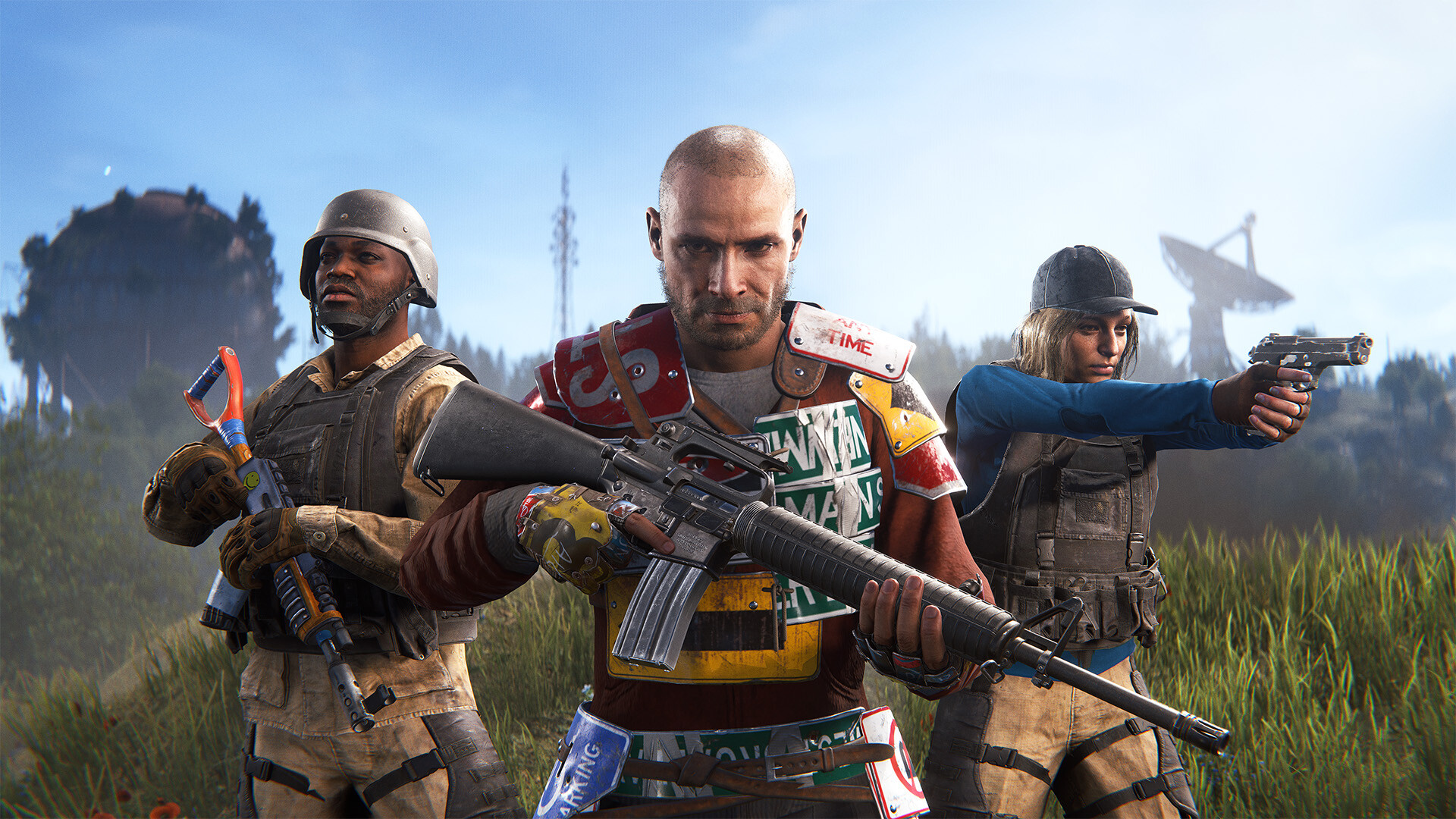
Every publisher runs drops differently. Rust works in rounds, GTA VI uses Twitch-run promotions, Fortnite depends on Epic Connections, and CS2’s Major rewards mostly sit inside the game. Always check the game’s own announcement for the current rules.
| Game | Who runs the drops | Link via | Current status (Nov 27, 2026) |
|---|---|---|---|
| Rust | Facepunch Studios, rounds often hosted by a community org | Steam on twitch.facepunch.com | Between rounds after Round 54 |
| GTA VI | Twitch (plus a separate Kick giveaway) | Twitch account, Rockstar account for the launch campaign | Live through Nov 30 |
| Fortnite | Epic Games | Epic account Connections | Per campaign |
| CS2 | Tournament organisers on Twitch, Valve in-game for Majors | Steam under Twitch Connections | Per tournament |
| Stalcraft | EXBO | EXBO account | Per campaign |
| Blizzard games | Blizzard | Battle.net | World of Warcraft: Forever listed for Winter Drops Fest |
Rust
Facepunch Studios runs Rust drops in numbered rounds on twitch.facepunch.com, and each round has general drops and streamer drops. A community server or organisation often hosts the round. Rustoria hosted Round 54. You pair Steam on the Connect page, and items reach your Steam inventory within about 10 minutes. You must own Rust on Steam for items to deliver. If you don’t, the 180-day redeem rule above applies.
The Rust wiki says there’s no other way to get a round’s drops once it ends. That’s why resale listings for old Rust drop skins exist, and why you should skip them, since the skins are account-bound. Is there a Rust drop right now? Not as of late November 2026, because Round 54 closed on November 1.
GTA VI
Twitch runs GTA VI’s drops itself, and Rockstar Games doesn’t hand out item drops through them. The launch campaign gives badges and emotes. The code drops are random: watching makes you eligible, and winners claim from their inventory. Is the free GTA 6 code giveaway real? Yes, on Twitch through November 30 and on Kick through December 7. Both pay out only through each platform’s own notifications and inventory.
Fortnite
Fortnite drops depend on Epic account Connections, so link Twitch there before the event starts. Cabined Accounts, which Epic uses for younger players, can’t earn drops until a parent or guardian completes setup. Drop cosmetics are separate from the paid daily rotation covered in our Fortnite item shop guide, and you won’t find them in the shop later.
CS2
Counter-Strike 2’s biggest viewer rewards come through Valve’s in-game Major system, not through Twitch Drops. IEM Cologne Major 2026 ran June 2-21, 2026. Strafe and Sportskeeda report that Valve didn’t drop souvenir packages to viewers at that event. Instead, it sold a Viewer Pass for about $9.99 that unlocks Pick’Em, a Major shop reward track and the Souvenir-O-Matic. The Souvenir-O-Matic turns a weapon you already own into a Souvenir version with the stickers from a match you pick. That’s a clear break from the old model, where viewers with Steam linked to Twitch received random souvenir packages during Major broadcasts.
Twitch Drops campaigns for CS2 do still appear for some tournaments, but the organiser runs them, not Valve. When one is live, it shows on the Campaigns page with its own linking button. If the organiser asks for it, link Steam under Twitch Settings, Connections. Streams Charts reports that Counter-Strike watch time rose 32% in June 2026, driven by IEM Cologne, which became the most-watched CS tournament ever. Even so, that viewing didn’t come with Twitch-side souvenir drops.
Stalcraft
EXBO develops Stalcraft, and its Twitch campaigns link through an EXBO account, not directly through Steam. Players in Steam community threads report linking all three (Twitch, EXBO and Steam) and still waiting on rewards. Follow EXBO’s current support article for the campaign you’re watching.
Blizzard games
World of Warcraft, Overwatch and other Battle.net games need Battle.net linked to Twitch, and claimed drops can take up to 24 hours to arrive. World of Warcraft: Forever is on the Winter Drops Fest 2026 list, so link before December.
Twitch Drops calendar: the big seasonal events
Twitch runs two cross-game drop festivals a year: Summer Drops Fest in July and Winter Drops Fest in December. Between them, most campaigns follow game launches, new seasons and major esports events.
| Event | Dates | Games | Source |
|---|---|---|---|
| Winter Drops Fest 2023 (first edition) | Dec 7-17, 2023 | Multi-game | Twitch blog |
| Winter Drops Fest 2025 | Dec 3-20, 2025 | 20+ games | Streams Charts |
| Summer Drops Fest 2026 | Jul 10-24, 2026 | 45+ games | Twitch blog |
| Winter Drops Fest 2026 | December 2026, dates not yet published | 30+ exclusive drops | Twitch blog |
Summer Drops Fest 2026 was the largest multi-game drops window of the year so far. This winter’s lineup is bigger than last year’s, so expect timers to overlap. Pick the two or three rewards you care about most and give them your watch time first.
Analyst note
Link every Winter Drops Fest game you plan to watch before the festival starts. With 30+ drops packed into a few weeks and Blizzard taking up to 24 hours to deliver, an account you link late wastes watch time you can’t get back.
Running a successful drops campaign as a streamer
As a creator, you don’t switch drops on yourself, because the developer’s campaign does it. If you stream in that game’s category while a campaign is active, and your channel meets any allowlist rules, your viewers can earn and the Drops Enabled tag appears on your stream.
These habits separate channels that grow during drop campaigns from channels that just collect drop viewers:
- Category accuracy. Set the exact game category before you go live. If the category is wrong, none of your viewers make progress.
- Clear overlays. Show the current drop and its watch-time target on screen. An OBS Studio scene with a simple text source does the job. For a fuller build, see our guide to a streaming setup that scales.
- Answer the linking question early. Pin a chat command, such as
!drops, that tells viewers to link on the publisher’s page before claiming. - Schedule around the timer. A 3-hour drop rewards a 3-hour stream. Viewers who earn the reward with you are more likely to come back.
- Carry it into your Discord. An announcement channel such as
#drops-alertswith an opt-in @Drops role pings only the members who want new campaign alerts. Delete fake “free code” posts on sight, because real GTA VI codes never arrive through Discord.
Developers set up campaigns in the Twitch developer console, where they choose dates, rewards, an account-linking URL and an optional creator allowlist.
FAQ
What are Twitch Drops?
Twitch Drops are free rewards a game developer offers for watching or subscribing on Drops-enabled streams in its game’s category. You claim them on Twitch, and they’re delivered to your linked game account. They have no monetary value and usually can’t be traded.
How do I claim Twitch Drops?
Link your game account on the publisher’s page, then watch a live stream with the Drops Enabled tag while signed in. Click Claim in the chat prompt or at twitch.tv/drops/inventory, then check the game.
How do you check for Twitch drops?
Sign in and open twitch.tv/drops/campaigns to see every drop you can earn right now and what’s coming up. To check progress on drops you’ve already started, open twitch.tv/drops/inventory, where the progress bars and Claim buttons are.
What are the Twitch Drops today?
As of November 27, 2026, the GTAVI Launch Celebration campaign and Twitch’s daily GTA VI code drops run through November 30. Winter Drops Fest starts in December with 30+ drops, and Rust is between rounds after Round 54. Sign in at twitch.tv/drops/campaigns for the full live list.
What is the Twitch Drops website?
There’s no separate site. Drops live on twitch.tv itself: the Campaigns page at twitch.tv/drops/campaigns and the Inventory at twitch.tv/drops/inventory. Some publishers run their own companion site too, such as Facepunch’s twitch.facepunch.com for Rust.
Do you need Prime Gaming or Turbo for Twitch Drops?
No. A free Twitch account plus a linked game account is enough for time-based drops. The exception is subscription-based drops, which need one or more paid or gifted subs on a participating channel.
Where is the Twitch Drops Inventory?
On the web it’s at twitch.tv/drops/inventory. In a desktop browser, you can also click your profile picture in the top-right corner and choose Drops (or Drops & Rewards). On mobile, open the Drops & Rewards inventory in the Twitch app.
Can you get Twitch Drops on mobile?
Yes. The Twitch app earns progress and lets you claim, and its inventory was redesigned in May 2026. Do the account linking in a browser on the publisher’s site.
Do Twitch Drops work if you watch muted or in a background tab?
Muted is fine as long as the stream keeps playing. Background or minimised tabs can stall, because browsers throttle video. Check that the Inventory bar is moving.
Can you watch two streams at once for Twitch Drops?
No. Only one channel earns progress per account. One stream can still advance several drops if it qualifies for more than one campaign.
Why is my Twitch Drop stuck at 99%?
The campaign is probably sequential. Claim the earlier drop in your Inventory and the bar will finish. If it doesn’t, contact Twitch Support, as Epic advises.
Why didn’t my Twitch Drop show up in-game?
Usually it’s a delivery delay or the wrong account is linked. Wait out the publisher’s window, check that you’re signed into the linked game account, then relink and use the publisher’s missing-drops tool or contact its support.
About this article
Written by Joseph Smith
Joseph Smith is a digital nomad born in the 90s who grew up on PlayStation platformers and Halo 2 multiplayer. He plays Counter-Strike and Dota 2 competitively and started Toopics to bring gamers closer together, especially through Discord. More about Joseph
- Published
Sources (8)
- Twitch Drops developer documentation (dev.twitch.tv)
- Rust Drops on Twitch (Facepunch) (twitch.facepunch.com)
- Rust wiki: Twitch Drops (wiki.facepunch.com)
- Rust Twitch Drops guide 2026 (Space-Node) (space-node.net)
- Rust Twitch Drops tracker (whenisforcewiperust.com)
- Twitch on X: GTA 6 daily code drops (x.com)
- Twitch is doing daily drops of GTA 6 Ultimate Edition codes through the end of November (Shacknews) (shacknews.com)
- Twitch GTA 6 code drops (CXM) (cxm.co)