
Geometry Dash’s Versus button has sat in the game, locked, since December 19, 2023. Nearly three years later you still can’t play it. RobTop shipped Update 2.209 in October 2026 without Versus, the mode is still tied to Update 2.21, and 2.21 has no announced release date.
Key takeaways
- Versus mode is not out. The button only shows a “delayed” message from The Keymaster.
- RobTop moved Versus from Update 2.2 to Update 2.21. It was never officially cancelled.
- Update 2.209 (October 15, 2026) and patch 2.2091 did not include Versus.
- Every “Versus mode download”, “2.21 APK” or “2.3 APK” is fake.
- If you want to race friends today, the Globed mod for Geode or a no-mod Discord race night are the realistic options.
Fact-checked
We checked these key facts against the sources named, on November 20, 2026:
- Globed v1, for example, covered GD 2.200 to 2.2074 (source: github.com)
- Geode SDK is the community mod loader that fills that gap, and Globed is one of the best-known mods on the Geode Index (source: geode-sdk.org)
- Get the installer only from Geode’s official site, run it and point it at your game folder (on Steam it usually finds the game on its own) (source: geode-sdk.org)
Is Versus mode in Geometry Dash out yet? (Status: November 2026)
No. As of November 20, 2026, Versus mode in Geometry Dash is still a locked button. Pressing it only plays a “delayed” message. The newest official build is 2.2091, which followed Update 2.209 in October 2026. RobTop has tied Versus to Update 2.21, and 2.21 has no confirmed release date.
The most reliable source here is RobTop Games itself. On October 15, 2026, RobTop’s X account announced that “Geometry Dash update 2.209 is out now on Steam/iOS/Android”. The post listed the headline features: Platformer Saving, Custom Keybinds, Death Tracking, Death Markers, Editor Sounds and Packs, Import/Export Editor Levels, Auto-Save and Auto-Backup, Custom Platformer Controls and a Start Position Switcher. Versus is not on that list. Fan trackers report that a follow-up patch, 2.2091, arrived around October 18 to 19 to fix issues such as double-clicks not registering.
So the status hasn’t changed. Versus is a placeholder in the menu, Update 2.21 is the update it is expected to arrive with, and neither has a date.
What Versus mode is supposed to be
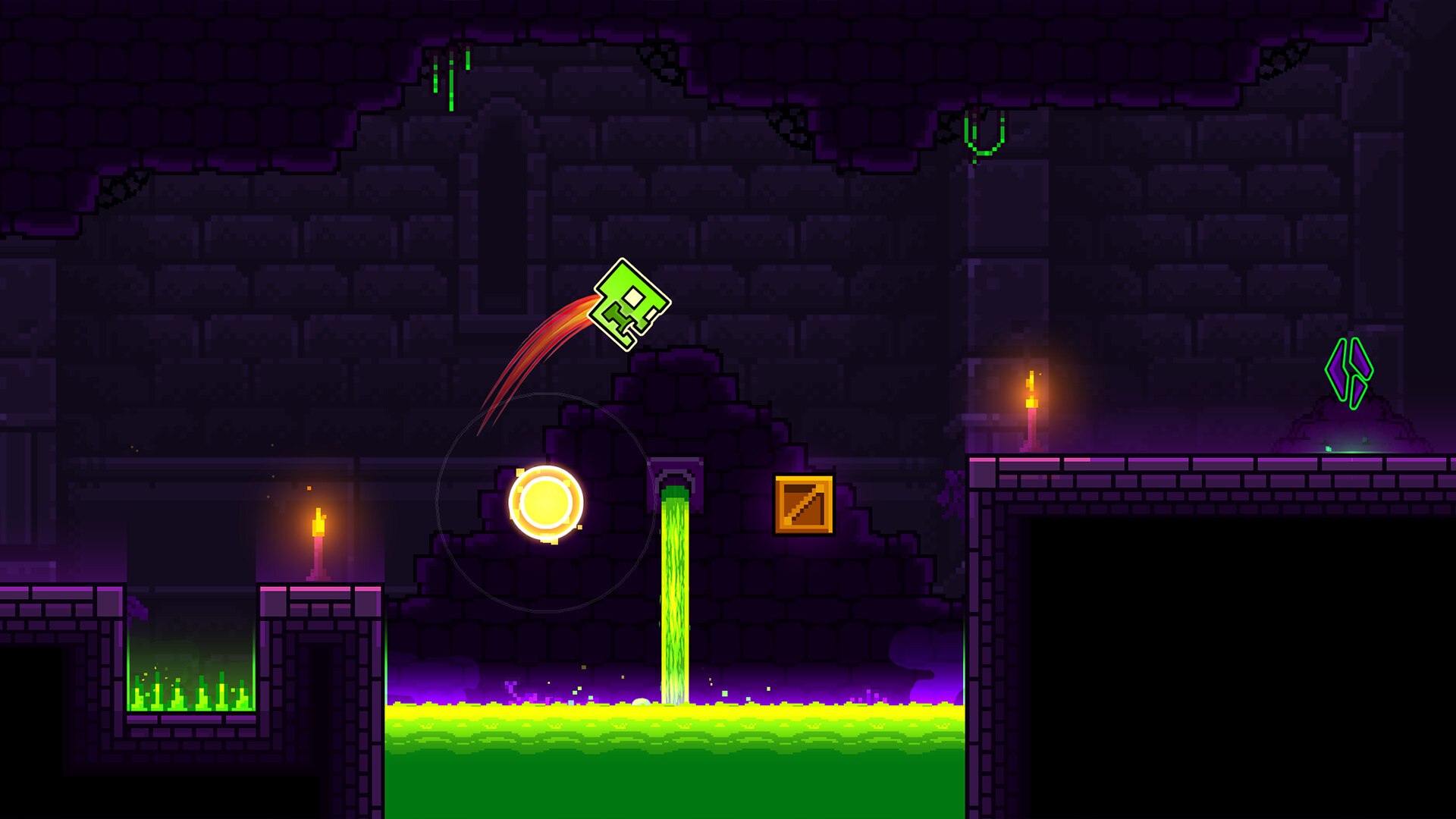
From RobTop’s own descriptions, Versus is a race mode. Players join rooms and compete to beat the same level, but they can’t see each other while they play. Robert Topala, who founded RobTop Games and develops Geometry Dash largely on his own, has described it as racing to beat a level, not live co-op play. He has also mentioned a possible dynamic progress bar that would show how far your opponents have got.
That design is the opposite of what many players picture. If you expect a ghost of your friend’s icon jumping beside you, the official mode as described won’t give you that. It plays more like a race against a scoreboard than a shared run.
Where to find the Versus button
The Versus button sits in the creator menu, the screen behind the hammer icon on the main menu that also holds Create, Search, Featured, Gauntlets, Lists and the Daily, Weekly and Event levels. Update 2.2 added it in December 2023, next to The Map, another feature that was delayed into 2.21.
If your game is up to date, the button is there. You don’t need to unlock anything, collect anything or beat a particular demon to see it. Seeing it doesn’t mean the mode works, though.
What happens when you press it
Pressing Versus opens a dialogue with The Keymaster, the hooded character from the game’s vaults and shop areas. He tells you: “Versus mode has been delayed, but it’s in the works!” Keep pressing and Scratch, one of the game’s shopkeepers, joins in for a comedy routine. This is why players keep asking “why does the versus button just say it’s delayed?” The message is the whole feature for now. RobTop added a joke to the button instead of hiding it.
Did you know?
According to the Official Geometry Dash Wiki on wiki.gg, if you keep pressing the Versus button, The Keymaster and Scratch run through a full comedy bit that ends with Scratch shouting “QUICKLY TO THE CHOPPER!”
How a Versus race would likely work
Based only on what RobTop has said, a Versus session would likely work like this:
- A player creates a room or joins one.
- The room sets a level for everyone to play.
- Each player attempts the level on their own screen, with no other icons visible.
- A progress indicator, possibly a dynamic progress bar, shows how far each opponent has got.
- The first player to beat the level, or the furthest, wins.
Steps 2 to 5 are reasonable inferences from the stated design, not confirmed mechanics. RobTop hasn’t said how rooms will be found, whether ranked play exists, whether platformer mode levels will be supported or how wins are recorded. Treat any guide that gives exact matchmaking rules as invented.
Versus mode timeline: from the 2.2 teaser to the 2.21 delay
Versus was planned for Update 2.2, delayed to Update 2.21, and is still waiting as of November 2026. Since Update 2.2 shipped, the game has had a run of patches and one sizeable quality-of-life update (2.209), but none of them unlocked Versus.
| Date | Event | Versus status | Source |
|---|---|---|---|
| Before 2.2 (2022 to 2023) | RobTop confirms Versus will not ship in 2.2 | Delayed to 2.21 | Dashword report; Geometry Dash Fandom Wiki |
| October 2023 | Robert Topala says 2.21 will be “mostly just delayed stuff” plus upgrades to 2.2 features such as auto-build | Expected in 2.21 | Geometry Dash Fandom Wiki (Update 2.21) |
| December 19, 2023 | Update 2.2 launches on iOS, Android and Steam | Button added, locked | Geometry Dash Fandom Wiki; TouchArcade (Dec 20, 2023) |
| 2024 to 2025 | 2.2 patch builds (2.20x series) | Still locked | Official Geometry Dash Wiki |
| January 21, 2026 | Version 2.2081 on Steam: Click Between Steps tweaks, performance and bug fixes | Still locked | Third-party version tracker |
| August 2026 | Manifold Markets question on a 2.21 release in August | No release | Manifold Markets |
| October 15, 2026 | Update 2.209 out on Steam, iOS and Android | Not included | RobTop Games on X |
| October 18 to 19, 2026 | Patch 2.2091 | Not included | Fan update trackers |
| November 2026 | 2.21 still has no announced date | Locked | Official Geometry Dash Wiki (Update 2.21) |
Two reasons explain most of the wait. Geometry Dash is essentially a one-developer project, and Update 2.2 itself took years. RobTop also chose to ship a finished 2.2 and a smaller 2.209 rather than hold everything back for the online features. Multiplayer needs server work and testing that single-player editor features don’t.
Was Versus mode cancelled? The Dashword headline explained
No. Versus mode was delayed, not cancelled. The confusion goes back to a headline on Dashword, a fan news site: “RobTop Cancels Geometry Dash 2.2 Versus Mode After 6 Years Of Development”. The article underneath describes something narrower. Versus would not ship with Update 2.2 and was moved to the 2.21 patch.
That headline is the main source of the “is versus mode ever coming out or did robtop cancel it?” question you see on Reddit and Discord. The button RobTop added in 2.2, with its “it’s in the works!” message, is the best evidence that the mode is still planned.
Did you know?
The widely shared Dashword headline saying RobTop “cancels” Versus Mode describes a delay. The article explains that Versus was moved from Update 2.2 to the 2.21 patch, not scrapped.
Versus mode release date: what is confirmed and what is speculation
Confirmed: Versus exists as a locked button, RobTop has linked it to Update 2.21, and it was not in 2.209 or 2.2091. Not confirmed: any release date, month or season for Versus or 2.21. The Official Geometry Dash Wiki’s Update 2.21 page says Versus has no confirmed release date, although many players expect it in 2.21.
Fan predictions have a poor record. Dashword predicted 2.21 for April 2025 and later pointed to November 16, 2025, and neither happened (that is speculation from a fan site, not RobTop). Prediction markets aren’t news either. A Manifold Markets question on an August 2026 release did not end in a confirmed release.
Official sources such as RobTop’s posts on X, the news on Geometry Dash’s Steam page, robtopgames.com and official store listings can confirm a date. When 2.209 shipped, RobTop announced it on X the same day. Expect 2.21 to be announced the same way.
What else is expected in 2.21 (The Map, Explorers, new levels)
Update 2.21 is expected to bring Versus mode, The Map, Explorers, more official campaign levels and new mechanics. How firm each item is varies:
| Feature | What it is | How solid the claim is |
|---|---|---|
| Versus mode | Room-based race to beat a level | Official: RobTop said it is likely to come in 2.21 |
| The Map | Delayed 2.2 feature, already a placeholder in the creator menu | Strong: delayed from 2.2, widely tracked |
| Explorers | Planned feature named in most 2.21 tracking | Strong: consistently listed by community trackers |
| More campaign levels | New official levels | Community reporting, details unconfirmed |
| Upgrades to 2.2 tools (e.g. auto-build) | Improvements to editor features | Official: Robert Topala, October 2023 |
| Discord Rich Presence | Shows your game status on Discord | Planned for Update 2.3, not 2.21 |
So “Will 2.21 actually have versus or just the map?” has a fair answer: RobTop has pointed both features at 2.21, but with no build or patch notes yet, nobody outside RobTop Games knows the final list.
Beware fake Versus mode downloads
Every “Geometry Dash Versus mode download”, “2.21 APK” or “2.3 APK” you find online is fake. Official Geometry Dash updates come through official stores such as Steam, the Apple App Store, the Mac App Store and Google Play. A file claiming to contain unreleased content is at best a fan edit and at worst malware or a phishing trap.
Fan sites tracking 2.21 have said the same thing: any 2.21 or 2.3 APK floating around is fake. The community has seen this before. A fake Versus mode mockup once circulated and was debunked, according to the Geometry Dash Fandom Wiki.
Stay safe
Treat any “Versus mode APK”, “2.21 APK” or “2.3 APK” as malware bait. Never sideload a Geometry Dash build from a link in a Discord DM, YouTube description or “leak” server, and never enter your Geometry Dash or Discord login on a third-party page.
To check what you really have, look at the version number in the game’s settings and compare it with the latest update listed on the official store page. If your build says 2.2091 and someone claims Versus works on their copy, they are running a mod or a fake. “Is there a GitHub for versus mode?” No. RobTop doesn’t publish Geometry Dash source code, so any repository called “versus mode” is a fan project or something worse. The legitimate multiplayer projects on GitHub, Globed and FireMario211’s Multiplayer Mod, are clearly labelled as unofficial mods.
How to race friends in Geometry Dash today
You can race friends today in two ways: with the Globed multiplayer mod, which runs on the Geode mod loader, or with no mods at all by playing the same level and comparing results. Globed gives you live icons and voice chat. The no-mod route works on every platform and carries zero risk.
Geometry Dash has no built-in mod support. Geode SDK is the community mod loader that fills that gap, and Globed is one of the best-known mods on the Geode Index. Globed is open source and unofficial. It supports classic and platformer levels, shows other players in real time and includes encrypted voice chat that the developers say isn’t logged. Its server code is open source too.
Quick steps: race friends with Globed
- Confirm your Geometry Dash build in settings.
- Install Geode from its official site.
- Open the in-game mods page and find Globed in the Geode Index.
- Install, then restart the game.
- Create a Globed room, share the room ID and open the same level.
Check version compatibility first
Version matching is the most common reason Globed stops working, and it matters a lot right now. Geode and Globed are built against specific Geometry Dash versions. When RobTop ships an update, mods break until the developers catch up.
As of early November 2026 reporting, Geode’s stable release (v5.11.2) targets GD 2.2081. Support for 2.209x had only reached a developer alpha, Geode v6.0.0-alpha.1, released November 1, 2026, and trackers listed Globed as still targeting 2.2081. Globed’s README says it supports only the latest Geometry Dash versions, with older branches for older builds. Globed v1, for example, covered GD 2.200 to 2.2074.
That answers the question “Globed not working after the update, what version do I need?” If your game updated to 2.2091 before Geode and Globed did, you need to wait for stable releases that support 2.209x. Don’t download unofficial “patched Geode” builds from personal GitHub accounts. They aren’t the official project, and you can’t verify what they contain.
Analyst note
Check the “supported versions” field on the Geode Index page before every race night. A Geometry Dash patch can break mods overnight, and the 2.209 cycle left Geode stable on 2.2081 for at least three weeks after RobTop’s October 15 release.
Install Geode
Geode installs on top of your existing copy of Geometry Dash. Get the installer only from Geode’s official site, run it and point it at your game folder (on Steam it usually finds the game on its own). Launch Geometry Dash, and a Geode button appears in the main menu. Geode’s official installers cover Windows, macOS and Android. There’s no App Store route on iPhone or iPad, so iOS players should use the no-mod race formats below.
Install Globed from the Geode Index
Open the Geode mods page from the main menu, search the Geode Index for Globed and install it there. That in-game route is the only one you need. Restart when Geode asks you to.
Analyst note
Only install Globed through the in-game Geode mods page. Search results for “versus mode mod download” are full of repackaged files, and the Geode Index is the one channel where the mod’s listing and updates come from its developers.
Create or join a room and race
Once Globed loads, open its menu from the main screen and connect to a server. One player creates a room and shares the room ID in your Discord channel, and everyone else joins it. Pick a level, have everyone open it, and you’ll see each other’s icons in real time. Agree on a countdown in voice chat so attempts start together.
For a race that feels like RobTop’s described Versus, keep score by completion time or best percentage instead of watching icons. That keeps the focus on beating the level, which is the point of the official design.
Other options: Multiplayer Mod and no-mod racing
FireMario211’s Multiplayer Mod is another unofficial project that lets players play the same level together in real time. Like Globed, it depends on matching game versions, so check its repository for the build it supports before you try it.
The no-mod option answers a common question: “Can I race my friend on the same level without seeing them like real versus?” Yes. Share a level ID, start a timer and have everyone play on their own screen. Report your best percentage or your completion time with a screenshot or recording. This is closer to RobTop’s described Versus than Globed is, because nobody can see anyone else, and it works on iOS, Android and Steam with no installs at all.
Official Versus vs Globed: what’s different
Globed already does more than official Versus is described as doing: live icons, voice chat and room codes. Official Versus would give you first-party support on every platform with no install. Here’s how the options compare:
| Option | Official? | Live view of others | Voice chat | Requires | Modes supported | Cost | Risk |
|---|---|---|---|---|---|---|---|
| Official Versus (as described) | Yes | No (possible progress bar) | Not announced | A future 2.21 update | Not announced | Included with the full game | None |
| Globed | No | Yes, real time | Yes, encrypted | Geode + matching GD version | Classic and platformer | Free | Breaks on GD updates; unofficial |
| FireMario211 Multiplayer Mod | No | Yes, real time | Not a headline feature | Matching GD version | Same-level play | Free | Unofficial; check version support |
| No-mod same-level race | Community format | No | Via Discord | Same level ID, a timer | Any | Free | None |
Pros and cons of each option
Official Versus
- Pros: built by RobTop, works on all platforms, nothing to install, never breaks after a patch.
- Cons: not playable, no release date, and as described it won’t show your opponents.
Globed
- Pros: playable now, live icons, voice chat, open-source client and server, classic and platformer support.
- Cons: PC and Android only through Geode, stops working after each Geometry Dash update until it’s updated, unofficial.
FireMario211 Multiplayer Mod
- Pros: real-time play on the same level, open source on GitHub.
- Cons: smaller community than Globed, version support needs checking every time.
No-mod racing
- Pros: zero risk, every platform including iOS, closest to RobTop’s no-live-view design.
- Cons: relies on honesty and proof, no live atmosphere unless you add voice and screen-sharing.
Which should you choose?
On PC or Android, if you want a lively session with friends, use Globed once your Geode and Globed versions match your game. For a server-wide competition or a mixed group with iPhone players, run no-mod races. Everyone can take part, and the format mirrors how official Versus is meant to work. If your plan is simply to wait for RobTop, there’s nothing to download. The real Versus will arrive as a normal store update.
There’s one fair argument for waiting. Mods add maintenance. Every Geometry Dash patch, including 2.209 in October 2026, can leave your group unable to connect for weeks. A community that wants something stable may get more out of a no-mod format than out of keeping Geode in sync.
Running a Versus race night on Discord
A Discord race night does most of what official Versus promises: a shared level, a clock, a winner and a scoreboard. You need a voice channel, a results channel, a scheduled event and clear rules on proof. The setup below works with or without Globed.
Create the event under your server’s Events tab. Moderators need the Create Events or Manage Events permission. Post the level IDs 10 minutes before the start, so players can download them and avoid desyncs over loading. Use a voice channel for the countdown. Players who want to stream their run can use Go Live in the same channel.
Scoring formats that work
Score by completion time if everyone can beat the level, and by best percentage in a fixed time window if skill levels are mixed. First-to-finish is exciting with evenly matched players, but beginners get nothing out of it.
| Format | How to score | Best for | Proof required |
|---|---|---|---|
| First to finish | First verified completion wins; ties by attempt count | Even-skill groups, easy to Hard levels | Recording showing the completion screen |
| Best % in a time window | Highest percentage reached in 10 minutes | Mixed-skill servers, demon levels | Recording or screenshot of the best-run percentage |
| Fewest attempts | Lowest attempt count to beat the level | Experienced players, short levels | Recording with the attempt counter visible |
| Platformer time trial | Fastest completion time on a platformer level | Platformer mode fans | Recording with the in-game timer visible |
| Roulette ladder | Reach 1%, then 2%, 3% and up on successive random levels | Long sessions, streamed events | Screenshot per round |
Analyst note
In a mixed-skill lobby, score by best percentage in a fixed 10-minute window instead of first to finish. A player stuck at 40% on an Insane Demon still adds to the scoreboard, and the top player still has a reason to push.
Fair-play rules and proof
Ban hack menus for any heat that counts toward standings, and require a full-screen recording with the attempt counter visible. Mod menus can add noclip, speedhack or practice-mode tricks, and these are hard to spot in a cropped clip. That’s why the Geometry Dash community’s record lists ask for raw, full-length footage.
Practical rules that hold up well:
- Record the whole window, not a crop, from the level’s first attempt. A recorder such as OBS Studio at a stable frame rate works well for this.
- Keep the attempt counter and percentage on screen.
- With Globed, keep only Globed and cosmetic mods enabled for ranked heats, and say this in the rules channel.
- Name a moderator to review disputed runs, and post the decision in the results channel.
- Disqualify missing or edited footage. Don’t settle disputes by vote.
Level picks for mixed-skill servers
Pick one level per difficulty tier and let players choose a tier. Don’t force one level on everyone. A three-tier night might use an official level everyone owns, a rated Harder or Insane level and a rated Easy or Medium Demon. That lets new members compete alongside demon grinders, and the best-percentage format keeps each tier competitive. Newer players joining their first race night may also want a geometry dash guide for early levels before tackling the middle tier.
Post level IDs as text, not images, so they can be copied straight into the search screen. Check that each level loads on the current game version before announcing it.
What is “Mulpan versus mode”?
“Mulpan versus mode” refers to fan-made Geometry Dash projects on Scratch, MIT’s free coding platform, not RobTop’s Versus mode. These projects are not official Geometry Dash, not built by RobTop Games and not Geode mods. They run in a browser on the Scratch website, separate from the real game.
The name causes confusion because “Scratch” is also the shopkeeper character who appears in the real game’s Versus dialogue. The Scratch character belongs to RobTop’s game. The Scratch platform is a separate programming site where many fan creators remake Geometry Dash. Fan remakes can be fun, but they don’t show you anything about how the official mode will play, and they won’t unlock anything in your copy of Geometry Dash.
FAQ
Does Geometry Dash have versus mode?
Not a playable one. Geometry Dash has had a Versus button in the creator menu since Update 2.2 in December 2023, but pressing it shows a “delayed” message from The Keymaster. As of November 2026 the mode is still locked.
How do you play versus mode in Geometry Dash?
You can’t play official Versus yet. The closest options are the Globed mod for Geode, which shows other players live, or a no-mod race where friends play the same level ID and compare times or percentages.
How to get versus mode in Geometry Dash?
There’s no way to get it early. Versus will unlock through a normal update from Steam, the App Store or Google Play. Any site offering early access is fake.
When is Geometry Dash Versus mode coming out?
No date has been announced. RobTop has linked Versus to Update 2.21, and 2.21 has no confirmed release date as of November 20, 2026. Watch RobTop’s posts on X and the Steam news page for the announcement.
Was Geometry Dash Versus mode cancelled?
No. A Dashword headline used the word “cancels”, but the article describes Versus being moved from Update 2.2 to Update 2.21. The in-game button still says it’s “in the works”.
Is there a real Versus mode download?
No. Every “Versus mode download”, “2.21 APK” or “2.3 APK” is fake and can carry malware. The only legitimate multiplayer mods, such as Globed, are installed through the Geode Index and are clearly labelled unofficial.
Will Versus mode be in 2.21?
That’s the plan RobTop has pointed to. RobTop said Versus is likely to come in Update 2.21, and the official wiki lists it as expected there with no confirmed date. Until patch notes are published, treat it as expected, not guaranteed.
Can you see other players in Versus mode?
Not as RobTop has described it. Official Versus is meant to be a race in rooms without a live view of other players, possibly with a progress bar showing opponents’ progress. Globed does show live icons, but it’s a fan mod.
How do I play Geometry Dash multiplayer with friends?
On PC or Android, install Geode, add Globed from the Geode Index, create a room and share the room ID. On any platform, including iOS, share a level ID in Discord and race by time or best percentage.
Is Globed safe and does it work on mobile?
Globed is open source, client and server, and its voice chat is encrypted with no logging. Installed from the Geode Index, it’s the most trusted multiplayer mod. It runs where Geode runs: Windows, macOS and Android. There’s no App Store route on iOS. After each Geometry Dash update, wait for a Globed release that supports your build.
The practical move while you wait
Versus will arrive as an ordinary store update, so there’s nothing to chase and nothing to download. If you want to race now, the setup that holds up best is a Discord server, a few level IDs and a best-percentage scoreboard. When RobTop announces Update 2.21, your community will already have the rules, the habits and the rivalries ready.
Last checked: November 20, 2026.
About this article

Written by Joseph Smith
Joseph Smith is a digital nomad born in the 90s who grew up on PlayStation platformers and Halo 2 multiplayer. He plays Counter-Strike and Dota 2 competitively and started Toopics to bring gamers closer together, especially through Discord. More about Joseph
- Published
Sources (8)
- RobTop Games on X: Geometry Dash update 2.209 is out now on Steam/iOS/Android (x.com)
- Update 2.209 - Geometry Dash Fandom Wiki (geometry-dash.fandom.com)
- Geometry Dash 2.209 & 2.2091: Release, Price & Geode Status (gamecodely.com)
- Best Geode Mods by Version: GD 2.2081 and 2.2091 Status (geodegeometrydash.com)
- Releases - geode-sdk/geode - GitHub (github.com)
- GlobedGD/globed2 - GitHub (github.com)
- Globed - Geode Index (geode-sdk.org)
- Globed (globed.dev)